Fix Tencent Cloud COS Authentication Errors — NetDrive

NetDrive won't connect to your Tencent Cloud COS bucket? Check the SecretId/SecretKey pair, CAM permissions, region endpoint, bucket name, and system clock, then reconnect.
A game studio keeps its nightly build artifacts in a Tencent Cloud Object Storage (COS) bucket, and the QA lead’s Windows workstation mounts that bucket through NetDrive so testers can grab the latest build from a drive letter. Then a security review rotates every API key in the account, and the next morning the drive refuses to connect. Most Tencent Cloud authentication failures come down to five things: the key pair, the CAM permissions behind it, the region endpoint, the bucket name, or the machine’s clock. This guide checks them in that order.
Get Your Tencent Cloud Drive Back
NetDrive lets Google Drive, OneDrive, S3, SFTP, WebDAV and more appear as native drives on Windows and macOS — no syncing, no full downloads.
- Mount COS buckets as a drive on Windows or macOS
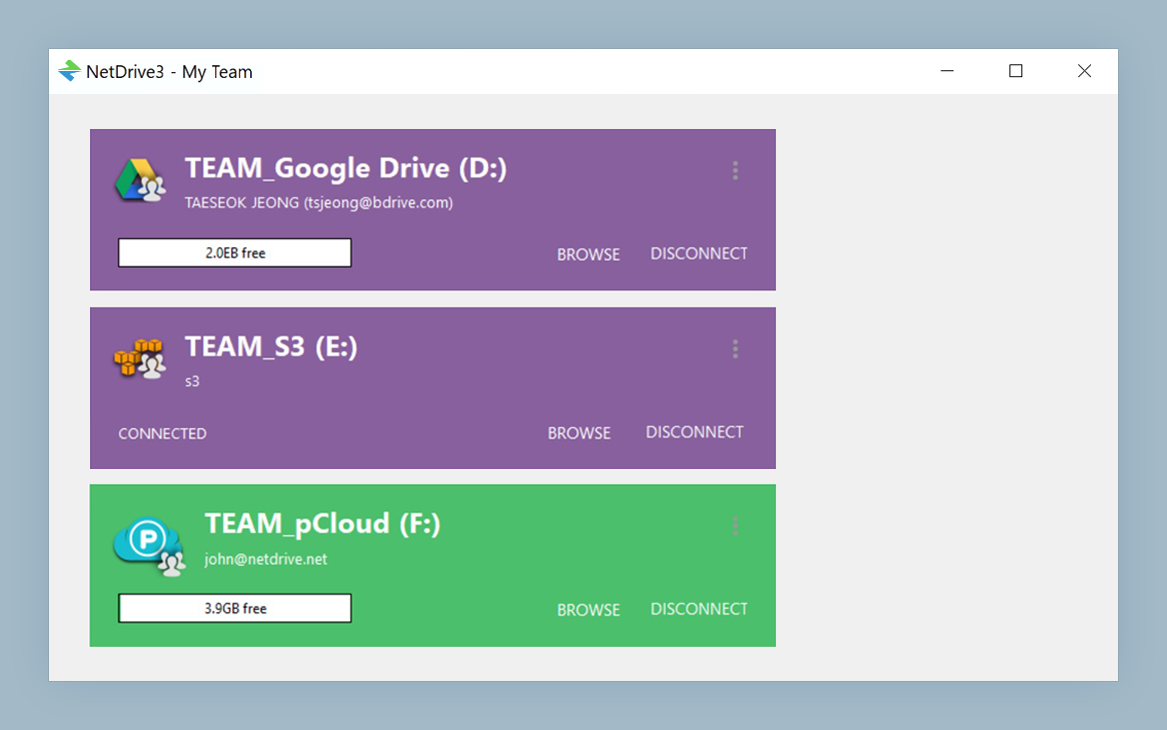
- Drive Manager shows the state of every drive
- Edit credentials and reconnect without starting over
Free trial. Lifetime and subscription plans available.
Match the Error to the Likely Cause
NetDrive has supported Tencent Cloud since version 3.17.799, and it checks the connection when you save a Tencent Cloud drive. When something is wrong, you get an error message and no working drive card. Read the message before you change any field, because COS error codes point at different problems:
- SignatureDoesNotMatch — the SecretKey does not match the SecretId, or one of the values was pasted with extra characters.
- InvalidAccessKeyId — the SecretId is unknown to Tencent Cloud. It was deleted, disabled, or mistyped.
- AccessDenied — the key is valid, but the user that owns it is not allowed to touch this bucket.
- NoSuchBucket — the bucket name or the region does not match a bucket that exists.
- RequestTimeTooSkewed — the computer’s clock is too far from Tencent Cloud’s time for the signed request to be accepted.
Write the code down. If you fix one field at a time and test after each change, you will know which one caused the problem.
Check 1: The SecretId and SecretKey Pair
Tencent Cloud API keys are managed in the Tencent Cloud console under CAM → API Keys. After a key rotation, the pair stored in NetDrive is the most likely problem.
- Open the API key list for the user whose key NetDrive uses.
- Confirm the SecretId saved in NetDrive still appears in the list and is enabled.
- If it was deleted or disabled, create a new key and copy both the SecretId and the SecretKey right away.
- Paste both values into the Tencent Cloud drive’s settings in NetDrive. Watch for a leading or trailing space. It is invisible in the field, and it breaks the signature.
If the rotation also deleted the CAM sub-user, the key goes with it. Check that the user still exists before you create a new key.
Check 2: CAM Permissions on the Bucket
An AccessDenied response with a valid key means the problem is in policy, not in the key. For mounting, use a CAM sub-user rather than the root account’s key, and grant it access to the bucket you are mounting. Tencent Cloud has preset policies such as QcloudCOSReadOnlyAccess and QcloudCOSFullAccess, or you can write a custom policy limited to one bucket.
Match the policy to how the drive is used. A read-only policy lets testers browse and copy builds, but every save to the drive will fail. If you want that behavior on purpose, mount the drive with NetDrive’s read-only drive type as well. That way the restriction is clear in Explorer or Finder and doesn’t show up only as failed writes. See Read-Only Drive in NetDrive.
Check 3: Region Endpoint and Bucket Name
COS endpoints are region-specific and follow the pattern cos.<region>.myqcloud.com, for example cos.ap-guangzhou.myqcloud.com or cos.ap-singapore.myqcloud.com. A bucket created in Guangzhou will not answer on the Singapore endpoint, and the resulting error can look like a credential failure. Open the bucket’s overview page in the console and copy the region from there. Don’t rely on memory.
Bucket names in COS always carry the account’s APPID as a suffix: build-artifacts-1250000001, not build-artifacts. Leaving off the suffix is the usual cause of NoSuchBucket. Compare the name in NetDrive with the console character by character.
Check 4: The System Clock
Every COS request is signed with a timestamp. If the computer’s clock has drifted by several minutes, Tencent Cloud rejects the request even though the key is perfect. This mostly happens on machines that were offline for a long time, or on VMs restored from an old snapshot. On Windows, open Settings → Time & language → Date & time and sync now. On macOS, turn on Set time and date automatically in System Settings → General → Date & Time.
Reconnect the Drive
Once you have corrected the wrong value:
- Open NetDrive and find the Tencent Cloud drive in Drive Manager.
- Open the drive’s settings and update the key pair, endpoint, or bucket.
- Save and let NetDrive check the connection again.
- Connect the drive from its card and open a file to confirm reads work. Then save a small test file to confirm writes work.
If editing the existing entry still fails, delete the drive and add it again with the values you just checked in the console. A fresh entry rules out any stale saved setting.
When Authentication Passes but the Drive Still Misbehaves
If the connection succeeds and the drive still doesn’t appear on Windows, another device may already be using the drive letter. See Fix Drive Letter Already in Use. If folders show yesterday’s builds after the reconnect, the listing is stale. Force Folder Refresh explains how to pull a fresh one.
Wrap-up
Work through a Tencent Cloud COS authentication error as a checklist: key pair, CAM policy, region endpoint, bucket name with APPID, then the clock. Change one thing at a time, and reconnect from Drive Manager. For the full first-time setup, see Mount Tencent Cloud on Windows with NetDrive or the macOS version. If you also use Alibaba Cloud, Fix Alibaba Cloud Authentication Errors follows the same pattern.
— Steve, NetDrive