Mount Filen on Linux with NetDrive

Connect a Filen encrypted cloud storage account to Ubuntu through NetDrive's experimental Linux build, and mount it at a regular filesystem path.
A backend developer running Ubuntu build agents keeps a Filen account for encrypted project archives — client contracts, key material, and the odd tarball that shouldn’t sit in plaintext on a shared drive. The problem shows up the first time a deploy script needs to read one of those files: Filen’s own client is a sync app, not a mount point, so the script either waits on a full sync or someone downloads the file by hand. NetDrive’s Linux build gives that box a plain mount point for the Filen account instead, the same way it already does for Google Drive, S3, and 20-plus other providers on Windows and macOS.


Mount Filen on your Ubuntu box
NetDrive lets Google Drive, OneDrive, S3, SFTP, WebDAV and more appear as native drives on Windows and macOS — no syncing, no full downloads.
- Filen appears as a regular Ubuntu mount point
- Files stream on demand — no separate sync client to babysit
- Runs next to S3, SFTP, and 20+ other providers in one drive manager
Free trial. Lifetime and subscription plans available.
What Filen Adds to NetDrive’s Provider List
Filen is a cloud storage provider built around end-to-end encryption of everything a user uploads. NetDrive added Filen to its supported provider list in a recent release, alongside Koofr, Files.com, ImageKit, and OpenDrive. One clarification worth making up front: Filen’s encryption is a property of the Filen service itself, not a NetDrive feature — NetDrive does not add its own client-side encryption layer on top of any provider, Filen included. What NetDrive contributes is the mount point: once a Filen account is connected, its contents behave like any other NetDrive-mounted drive, with reads and writes going straight through to Filen.

Installing NetDrive on Ubuntu
NetDrive for Linux isn’t distributed through Ubuntu’s package repositories — it ships as a GitHub release:
- Go to github.com/NetDrive/installer and download the release matching your Ubuntu version.
- Follow that repository’s instructions to install the driver component the mount depends on — expect to need
sudofor this step. - Install the NetDrive package itself.
- Launch NetDrive once so the driver component is loaded before adding a drive.
The minimum supported version is Ubuntu 16.04, and NetDrive’s own comparison page marks Linux support as experimental — Windows and macOS get the bulk of testing and quicker fix turnaround. A Filen mount on a personal workstation or a CI box is a reasonable fit; test thoroughly on your own hardware before leaning on it for anything unattended and critical.
Connecting a Filen Account
- Open NetDrive’s Drive Manager and click + Add Drive.
- Select Filen from the provider list.
- Sign in with the Filen account’s email and password when prompted.
- Set a mount point — something like
/mnt/filen, or any empty directory you control. - Click Connect. NetDrive authenticates and mounts the account at that path.
Verifying the Mount From a Terminal
On a headless box, confirm the mount from a shell rather than trusting the GUI alone:
# Confirm the mount is listed
mount | grep filen

# Or just try listing it
ls /mnt/filen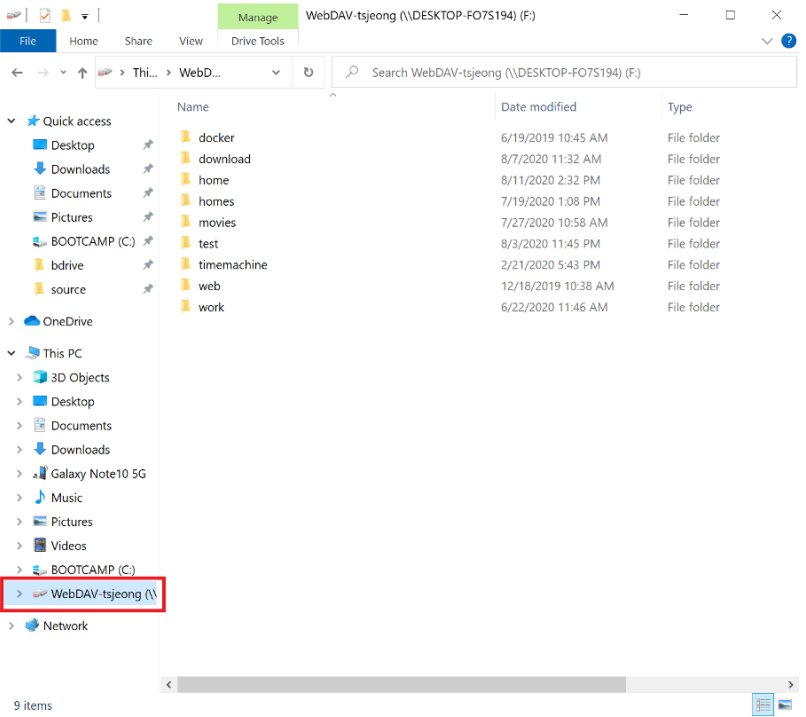
An empty listing right after connecting usually just means the root folder hasn’t finished populating — give it a few seconds before assuming something’s broken. If the directory is still empty after that, double-check the Filen credentials first; a mistyped password is the most common reason a first connection fails without a clear error message. Writing to the mount works the same way a read does: copy a file onto the path and NetDrive queues the upload in the background instead of blocking the process that wrote it.
What to Plan Around on the Linux Build
- Separate release cadence. The Linux build ships on its own schedule, so a fix or provider addition that lands for Windows or macOS doesn’t automatically show up on Linux the same week.
- No
aptintegration. Installs and updates go through GitHub releases, not Ubuntu’s package manager. - Windows and macOS are the hardened targets. NetDrive treats them as production-ready; Linux stays labeled experimental until further notice.
Wrap-up
Mounting Filen on Ubuntu gives a Linux box the same plain-filesystem access to encrypted cloud storage that NetDrive already provides on Windows and macOS, through an installer that lives on GitHub instead of apt. For the same provider on a more heavily tested platform, see Mount Filen on macOS with NetDrive or Mount Filen on Windows with NetDrive. For the broader picture of running NetDrive on Linux, see NetDrive on Ubuntu Linux.
— Alex, NetDrive