NetDrive vs CloudMounter — Cloud Drive Mounting on macOS

Comparing NetDrive and CloudMounter for mounting cloud storage on macOS. Provider breadth, mount types, and benchmark results to help you decide.
A freelance video editor stores 800 GB of grade-ready footage on a WebDAV server and needs it accessible in Final Cut Pro as if it were a local volume. On macOS, two names come up in that search repeatedly: NetDrive and CloudMounter. Both promise to make a WebDAV server — or any number of other cloud services — look like a drive in Finder. The differences are in what each supports, how they perform under load, and whether they follow you to Windows when a project demands it.
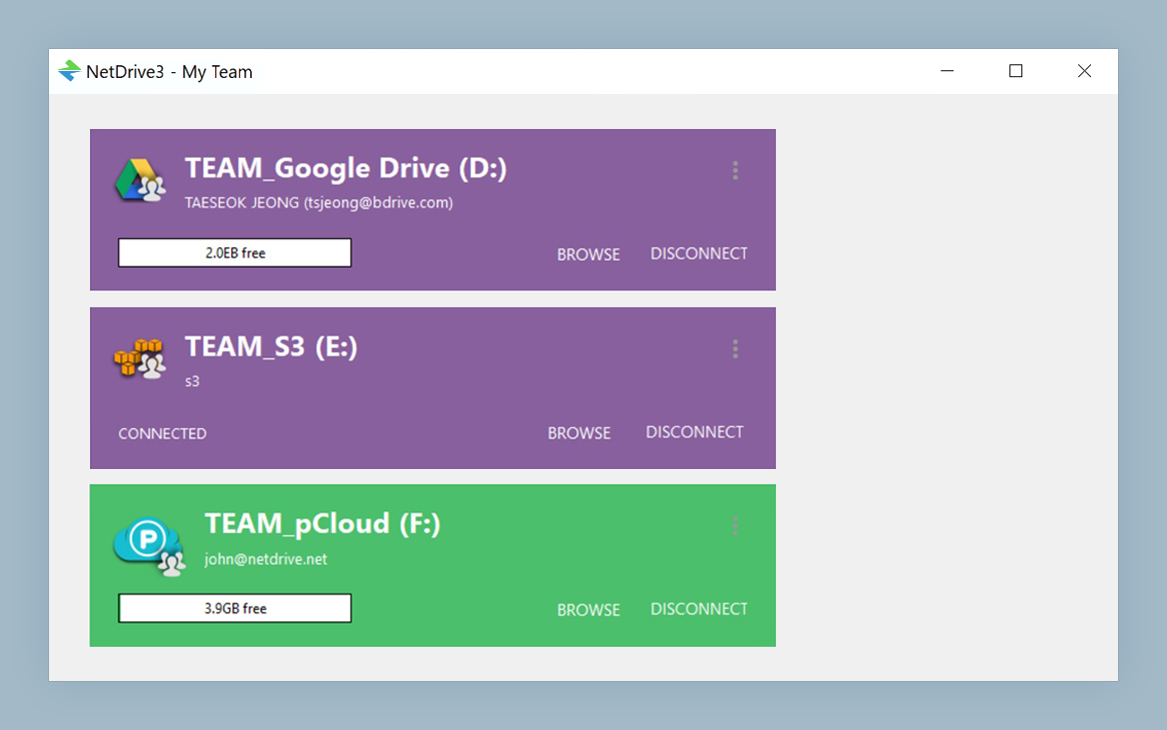
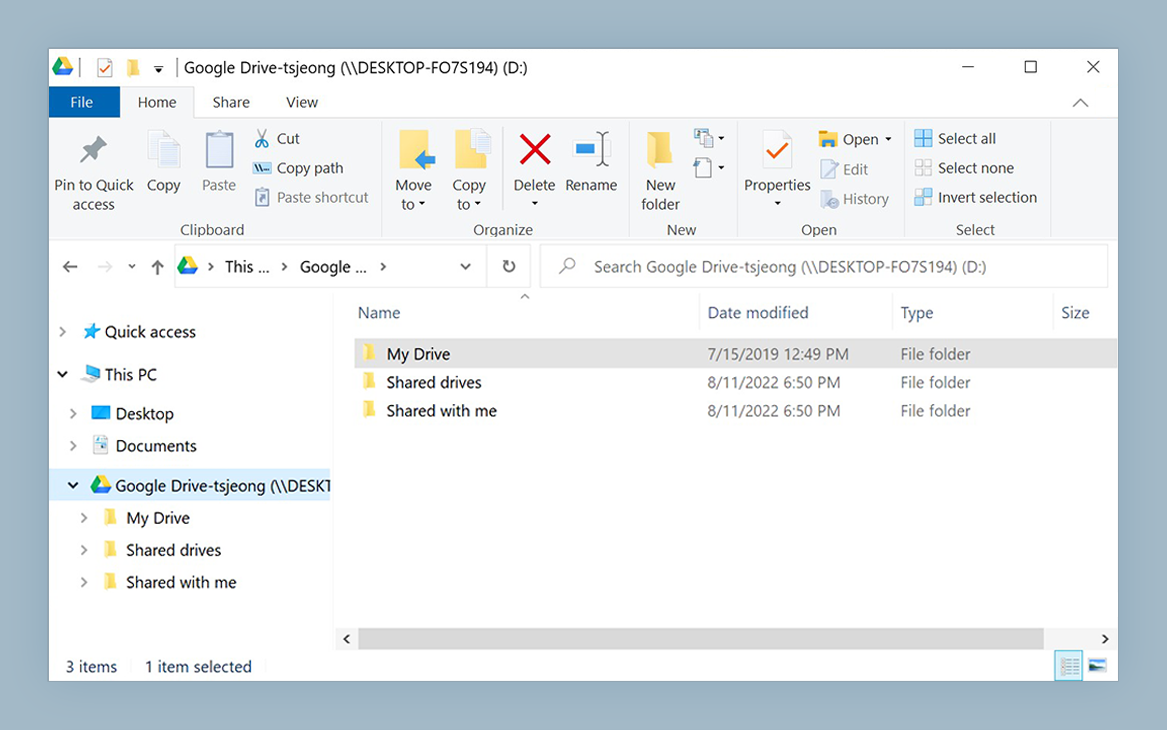
Mount Any Cloud as a Native Drive on macOS
NetDrive lets Google Drive, OneDrive, S3, SFTP, WebDAV and more appear as native drives on Windows and macOS — no syncing, no full downloads.
- WebDAV, SFTP, Google Drive, S3, OneDrive, and 20+ more providers
- Network, read-only, local-disk, and removable drive mount types
- Native Apple Silicon support since NetDrive 3.14.309
Free trial. Lifetime and subscription plans available.
Platform Coverage
NetDrive 3 runs on Windows 8, 8.1, 10, and 11 — including Windows Server 2012, 2016, 2019, and 2022 — as well as macOS 14 Sonoma and later, and experimentally on Linux (Ubuntu 16.04). It has supported Apple Silicon natively since NetDrive 3.14.309, released December 2020, and is notarized for macOS.
CloudMounter is a macOS-focused application. NetDrive’s published benchmark comparison shows no Windows results for CloudMounter in WebDAV scenarios, which reflects its macOS orientation.
If your studio runs macOS and Windows workstations and needs the same cloud-mount tool consistently across both, that cross-platform gap is the first place to look.
Provider and Protocol Coverage
NetDrive covers over 20 storage types. Consumer clouds include Google Drive, OneDrive, OneDrive for Business, Dropbox, Dropbox Business, Box, pCloud, Mega, and Yandex Disk. Google Photos can be mounted too, though Google’s 2025 API policy limits every third-party app to items uploaded through that app. For object storage: Amazon S3, Backblaze B2, Wasabi and other S3-compatible services, Azure Blob Storage, Azure File Storage, Google Cloud Storage, OpenStack Swift, and MinIO. Regional providers Tencent Cloud and Alibaba Cloud were added in NetDrive 3.17.799. Standard protocols — WebDAV, FTP, and SFTP — are fully supported. SharePoint rounds out the enterprise side.
That breadth matters in mixed environments: developers pull from S3, designers sync from Dropbox, and a shared NAS runs over WebDAV. One installation handles the whole stack rather than installing separate tools for each storage type.
Mount Types: Four Options per Drive
NetDrive lets you choose a mount type individually for each connected drive:
- Network drive — the standard Finder network volume, the default for most workflows
- Read-only drive — files are visible but not writable; useful for reviewers or contractors who should not modify source assets
- Local disk — reports to macOS as a local volume instead of a network path
- Removable drive — behaves like a connected USB drive in Finder, introduced in NetDrive 3.7.687
The local-disk type is the one that resolves the most workflow friction on macOS. Creative apps that gate operations on the drive type — certain video NLE suites, some backup agents — will accept a local-disk-type mount where they reject a standard network volume. If an application has ever told you “destination must be a local drive,” the local-disk mount type is the answer without relocating the source files.
Performance Benchmark
NetDrive publishes benchmark results from its own testing on the comparison page. These are self-measured results run under conditions NetDrive chose — treat them as a directional calibration point rather than an external audit. That said, the macOS results for WebDAV are notable:
| Scenario (macOS, WebDAV) | NetDrive | CloudMounter |
|---|---|---|
| 10,000 × 4 kB files | 3 min | 70 min |
| 800 MB single file | 85 sec | 98 sec |
Source: NetDrive’s own benchmark on equivalent test hardware.
Single large-file throughput is close on both sides. The small-file scenario — 10,000 four-kilobyte files, the profile of a code repository, font library, or design system asset directory — shows a much wider gap. If your work involves frequently listing or refreshing directories containing thousands of small assets, directory-listing performance will affect daily use more than peak bandwidth.
Auto-Mount at Boot
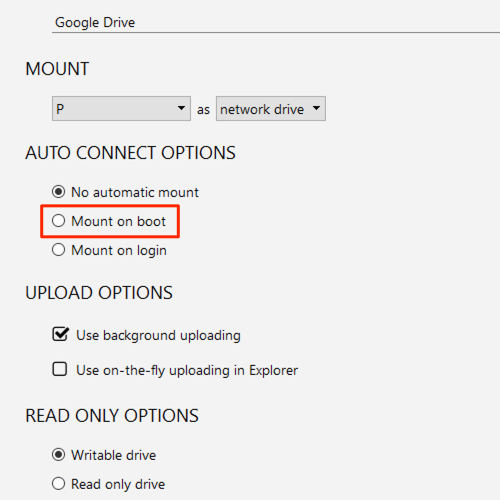
NetDrive supports mounting drives at system boot without requiring a user login — configured per-drive in the Startup dropdown (Boot / Login / Disabled). This matters for an always-on Mac Pro used as a shared render node or a headless server where a cloud drive needs to be present before the first interactive login.
Practical Decision Guide
NetDrive is likely the right fit if:
- You work across macOS and Windows and need consistent behavior on both
- Your storage stack spans multiple provider types — S3 alongside WebDAV alongside Dropbox — and you want one tool for all of them
- You need local-disk or removable drive mount behavior for specific applications
- Your team needs an MSI installer package, Terminal Server multi-user support, or an administrator-published team drive
CloudMounter is worth evaluating if:
- macOS is your only platform and you want a tool built exclusively for the Mac ecosystem
- Your cloud storage needs center on a small set of popular consumer services
Wrap-up
For a macOS user who also touches Windows, or whose storage requirements span more than a handful of providers, NetDrive handles both without adding a second tool. The 7-day trial covers all providers and mount types — install it, connect your actual storage, and confirm it fits your workflow before committing.
Related: NetDrive vs ExpanDrive · NetDrive vs Mountain Duck · Mount WebDAV on macOS with NetDrive
— Morgan, NetDrive