Fix Dropbox Business Authentication Errors — NetDrive

Troubleshoot Dropbox Business sign-in failures in NetDrive: wrong account type, team-folder access, and stale authorization after a password change.
A new hire installs NetDrive, picks Dropbox, signs in with the company email, and lands in an empty personal space with none of the team’s shared folders. Or an existing drive that worked for months suddenly shows an authorization error the morning after a company-wide password reset. Both are common Dropbox Business symptoms, and both come down to which account NetDrive authorized and whether that authorization is still valid.


Keep team folders on a drive letter
NetDrive lets Google Drive, OneDrive, S3, SFTP, WebDAV and more appear as native drives on Windows and macOS — no syncing, no full downloads.
- Dropbox Business as its own provider, separate from personal Dropbox
- Open team folders from any app without a full local sync
- Re-authorize in a minute from the Drive Manager
Free trial. Lifetime and subscription plans available.
Map the Symptom to a Cause
| Symptom | Most likely cause |
|---|---|
| Sign-in succeeds but team folders are missing | The drive was added with the plain Dropbox provider instead of Dropbox Business |
| Browser shows an error or approval is refused during sign-in | A team admin restricts which third-party apps members may authorize |
| A working drive suddenly fails to connect | The saved authorization is stale after a password reset or a security change on the account |
| Wrong files appear | The browser was already signed in to a different Dropbox account when you approved access |
Fix 1: Use the Dropbox Business Provider
NetDrive lists Dropbox and Dropbox Business as two separate providers. The plain Dropbox entry targets an individual account; Dropbox Business connects to the team’s tenant and its shared team folders. Support for Dropbox Business has been in NetDrive since version 3.9.1190 (2020-04-24).
- Open NetDrive and go to Drive Manager.
- Click + Add Drive.
- Choose Dropbox Business, not Dropbox.
- Approve access in the browser window that opens.
If the first attempt used the wrong provider, remove that drive and add it again with the right one.
Fix 2: Sign in to the Right Account in the Browser
NetDrive hands the sign-in off to your default browser. If that browser is already logged in to a personal Dropbox account, the approval screen may attach to the wrong identity. Open the browser first, sign out of Dropbox, and then start the connection again from NetDrive so you authenticate with the work account. A private window set as the default is a quick way to rule this out.
Fix 3: Ask Whether the Team Allows the Connection
If the browser step ends with a refusal rather than a password problem, the cause is usually on the team side: Dropbox Business admins can control which apps members are allowed to connect. NetDrive can’t override that setting. Ask your admin to check the team’s app permissions and allow the connection, then retry from Drive Manager.
Fix 4: Re-Authorize a Drive That Stopped Working
After a password reset or security change, the stored authorization can stop being accepted.
- In Drive Manager, select the Dropbox Business drive and click Edit.
- Re-run the sign-in so a fresh authorization is saved.
- Click Connect and confirm the drive status turns connected.
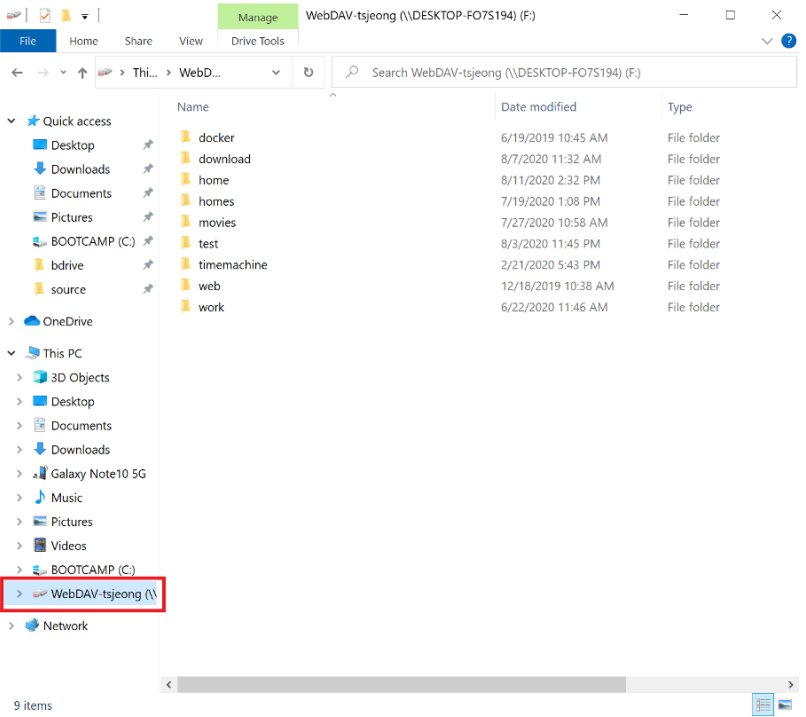
If the folder list looks outdated once you are back in, right-click the folder and choose a forced refresh. The force folder refresh guide covers it.
When None of These Apply
Confirm the account can open the team’s folders in Dropbox’s own web interface from the same network. If it can’t, the issue is with the account or team, not NetDrive, and your admin is the right next stop.
Wrap-up
Most Dropbox Business failures in NetDrive are an account-type mix-up, a browser signed in to the wrong identity, an admin app restriction, or an authorization that needs to be refreshed. For first-time setup see Mount Dropbox Business on Windows or on macOS. For personal accounts, read Fix Dropbox Authentication Errors.
— Casey, NetDrive