NetDrive vs Mountain Duck — Choosing the Right Cloud Drive Mount Tool

A straight comparison of NetDrive and Mountain Duck for mounting cloud storage on Windows and macOS — providers, mount types, and benchmark results.
You need to access 2 TB of Google Drive assets as a mapped drive on a Windows workstation—no extra sync folder, no browser shortcut, just a Z: drive that opens in every app. You’ve shortlisted NetDrive and Mountain Duck. Both promise the same outcome. Which one fits your workflow?
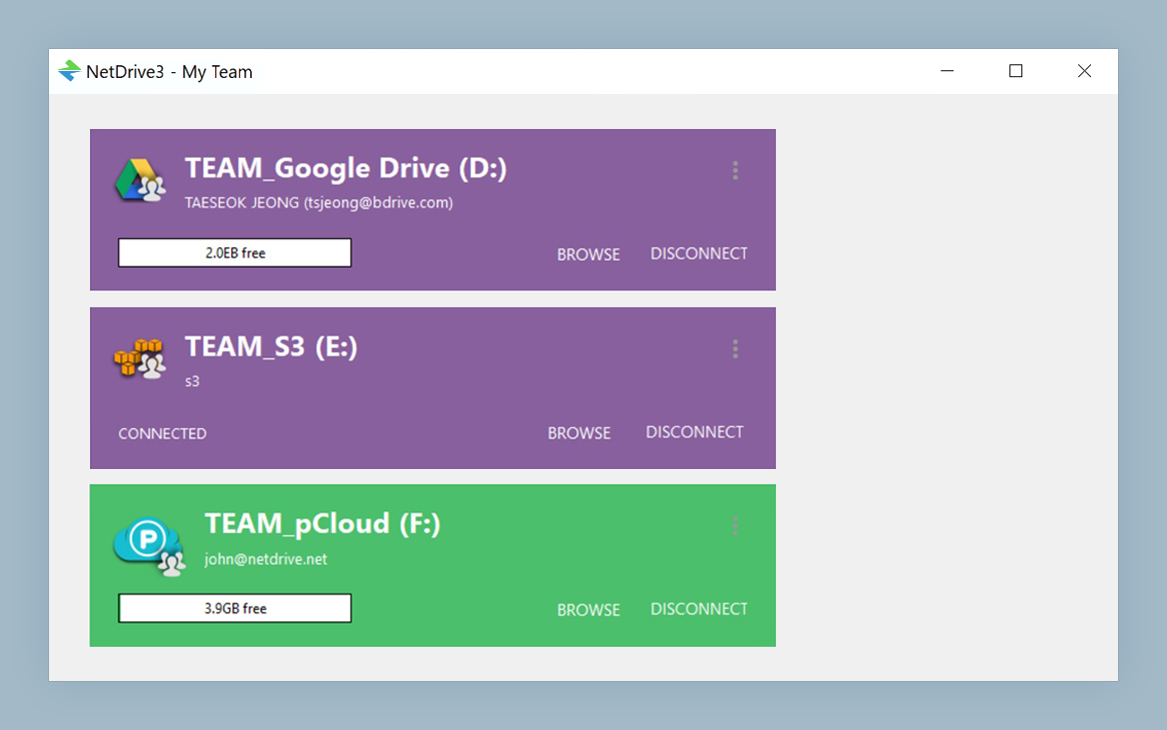
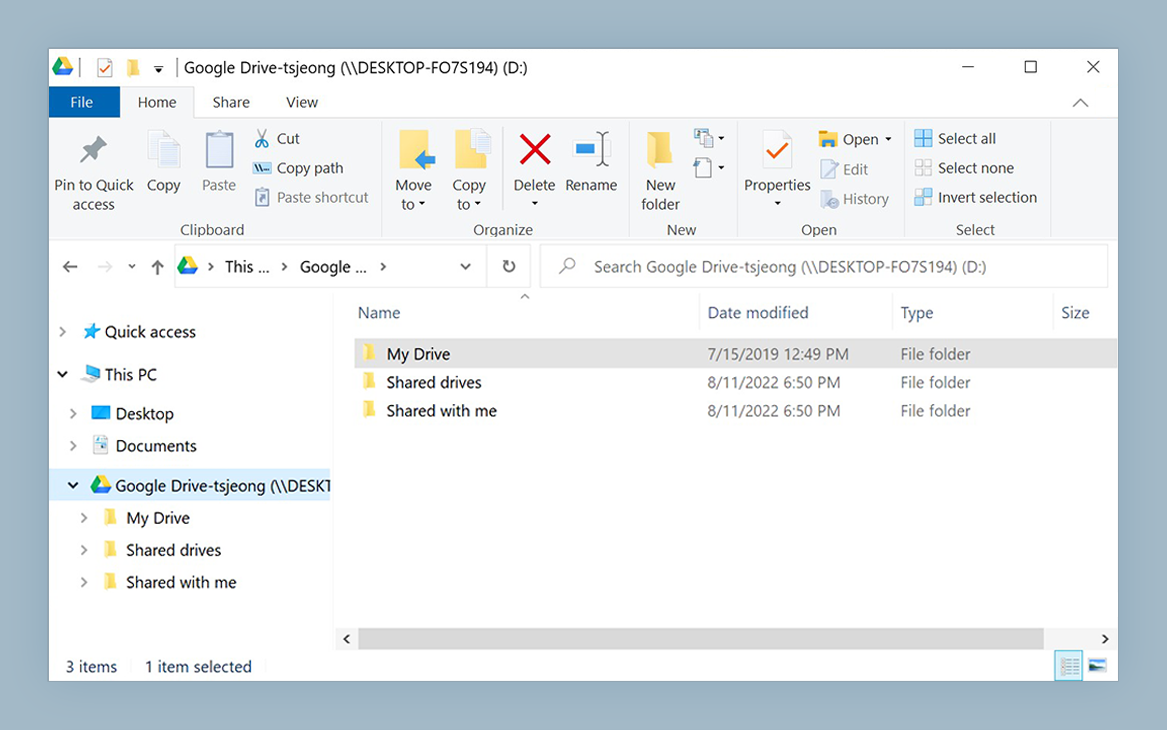
Mount Any Cloud as a Local Drive
NetDrive lets Google Drive, OneDrive, S3, SFTP, WebDAV and more appear as native drives on Windows and macOS — no syncing, no full downloads.
- Supports Google Drive, OneDrive, S3, Dropbox, SharePoint, and 20+ more
- Assign a drive letter (Z:, Y:, X:…) and open files in any app
- Read-only, removable, local-disk, and network drive mount types
Free trial. Lifetime and subscription plans available.
What Each Tool Is Built For
NetDrive is developed by Bdrive Inc. and has been shipping cross-platform cloud-mount software since 2010. The current generation, NetDrive 3, runs on Windows 8/10/11, Windows Server 2012–2022, and macOS 14 Sonoma and later. Its stated goal is straightforward: mount any supported cloud or protocol as a native OS drive, then stay out of the way.
Mountain Duck, built by the team behind Cyberduck, started as a macOS-first utility and later expanded to Windows. It surfaces cloud storage as Finder or Explorer volumes and has a following among macOS users who already use Cyberduck for manual file transfers.
Both are paid, closed-source desktop apps. Both mount cloud storage locally. The practical differences show up in provider breadth, mount type flexibility, and small-file performance on Windows.
Provider and Protocol Coverage
NetDrive supports over 20 cloud providers and protocols. Consumer services covered include Google Drive, OneDrive, Dropbox, Box, pCloud, Mega, and Yandex Disk. Google Photos can be mounted too, though Google’s 2025 API policy limits every third-party app to items uploaded through that app. For object storage: Amazon S3, Backblaze B2, Wasabi, Azure Blob Storage, Azure File Storage, Google Cloud Storage, OpenStack Swift, and MinIO. Regional clouds—Tencent Cloud and Alibaba Cloud—are included as well. Standard protocols WebDAV, FTP, and SFTP round out the list.
One limitation that applies to both tools: iCloud Drive cannot be mounted by any third-party app. That constraint comes from Apple’s platform policies, not either vendor.
Mount Types: Where NetDrive Offers More Flexibility
NetDrive offers four distinct mount types, selectable per drive:
- Network drive — the default; appears as a network location in Explorer or Finder
- Read-only drive — useful for distributing assets to reviewers or contractors who should not be able to modify files
- Local disk — reports to the OS as a local volume rather than a network path
- Removable drive — behaves like a USB drive; introduced in NetDrive 3.7.687
The local-disk type deserves a specific callout. Applications that check the drive type before allowing writes—certain Creative Cloud apps, some video NLE suites, backup agents—will work correctly with a local-disk mount where they silently fail or refuse to write on a network-type mount. If you’ve ever seen an app say “destination must be a local drive,” that is the scenario this type resolves.
Performance: What the Numbers Actually Show
NetDrive publishes benchmark results that compare several cloud mount tools on identical test hardware. These are NetDrive’s own measurements, run under controlled conditions they chose. Treat the numbers as one calibration point rather than a final verdict—your environment, network latency, and cache settings will shift the absolute values.
That said, the direction of the results is consistent across platforms:
| Scenario | NetDrive | Mountain Duck |
|---|---|---|
| Windows — 10,000 × 4 kB files (WebDAV) | 5 min | 40 min |
| Windows — 800 MB single file (WebDAV) | 79 sec | 77 sec |
| macOS — 10,000 × 4 kB files (WebDAV) | 3 min | 52 min |
| macOS — 800 MB single file (WebDAV) | 85 sec | 84 sec |
Large single-file transfers are close on both platforms. The directory-listing scenario—tens of thousands of small files—shows a wider gap, particularly on Windows. If your workflow is heavy on repositories, font libraries, or any directory with many small assets, listing speed will matter more than it does for a single large video file.
Team and Server Deployments
NetDrive includes multi-user support for Windows Terminal Server environments (since NetDrive 3.1.286), MSI installer packages for managed enterprise deployment, and Team Drive functionality that lets an administrator publish shared cloud drives to team members. These are specifically designed for IT teams managing more than a handful of seats.
If your deployment is a single developer’s laptop or a small creative studio, this distinction matters less. But if you’re standardizing on a cloud drive tool across a department, NetDrive’s enterprise-oriented features are worth factoring in.
Practical Decision Guide
NetDrive is likely the better fit if:
- You work primarily on Windows and need wide provider coverage
- You need a local-disk or removable-drive mount type for specific apps
- Your team uses Windows Server and needs multi-user or Terminal Server support
- You manage a mix of personal cloud accounts (Dropbox, pCloud) and enterprise storage (S3, SharePoint) and want one tool for both
Mountain Duck is worth evaluating if:
- macOS is your primary platform and you’re already using Cyberduck for file transfers
- You prefer a tool with a long track record in the macOS ecosystem
Wrap-up
For Windows-heavy environments or anyone who needs wide provider support alongside local-disk mount flexibility, NetDrive is the more capable tool in the categories that affect day-to-day workflows. The 7-day trial is the fastest way to validate that for your specific setup—install it, point it at your actual storage, and run the operations you do every day.
Related: Mount Amazon S3 on Windows with NetDrive · Fix Slow S3 Directory Listing in NetDrive · NetDrive on Windows 11 24H2
— Kai, NetDrive