Multi-File Transfers on NetDrive Mobile — Progress, Cancel, and Queues

NetDrive Mobile uploads and downloads several files at once with live per-file progress and cancel, so batch transfers from your phone don't stall the app.
A home inspector wraps up a walkthrough with forty photos sitting in their camera roll and needs all of them in the shared Dropbox folder before the next appointment. Opening the Dropbox app and uploading photos one at a time would eat the ten minutes meant for driving to the next site. NetDrive Mobile’s multi-select transfer flow uploads the whole batch in a few taps, and keeps working in the background while the app is used for something else.
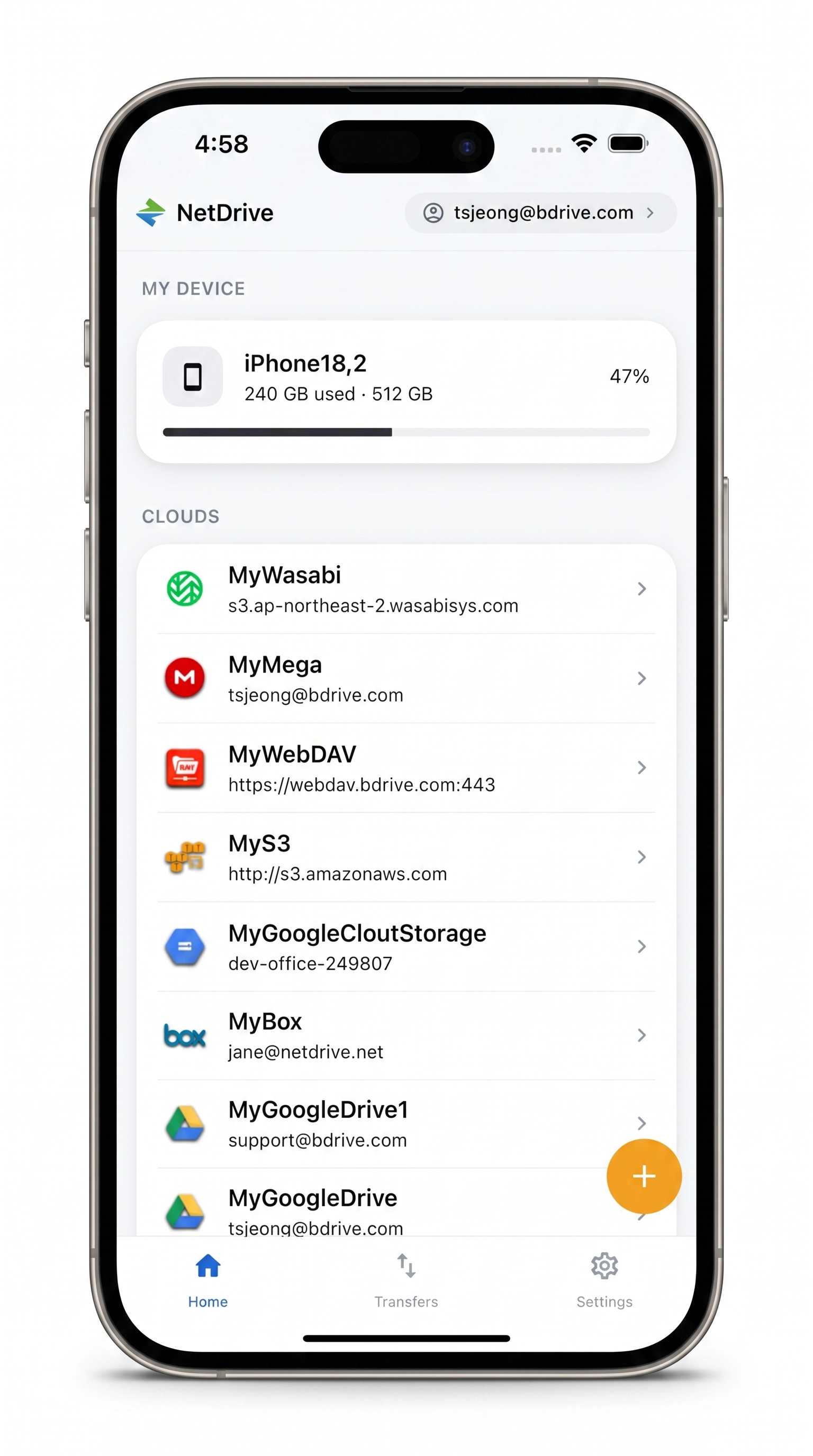
Upload and download in bulk, from your phone
NetDrive Mobile opens Google Drive, Dropbox, OneDrive, S3, WebDAV, SFTP and more in one app — browse, upload, download, and preview right from your phone.
- Multi-select files for one batch transfer
- Live progress per file, with cancel anytime
- Transfers keep running while you browse another cloud
Free Bdrive account required.
Selecting Several Files at Once
Inside any connected cloud — Dropbox, Google Drive, a WebDAV share, an S3 bucket — long-pressing a file switches the file browser into multi-select mode. From there, tapping additional files or photos adds them to the batch, and a bar at the bottom of the screen shows the available actions: Move, Copy, Download, or Delete, applied to every selected item at once instead of one file at a time.
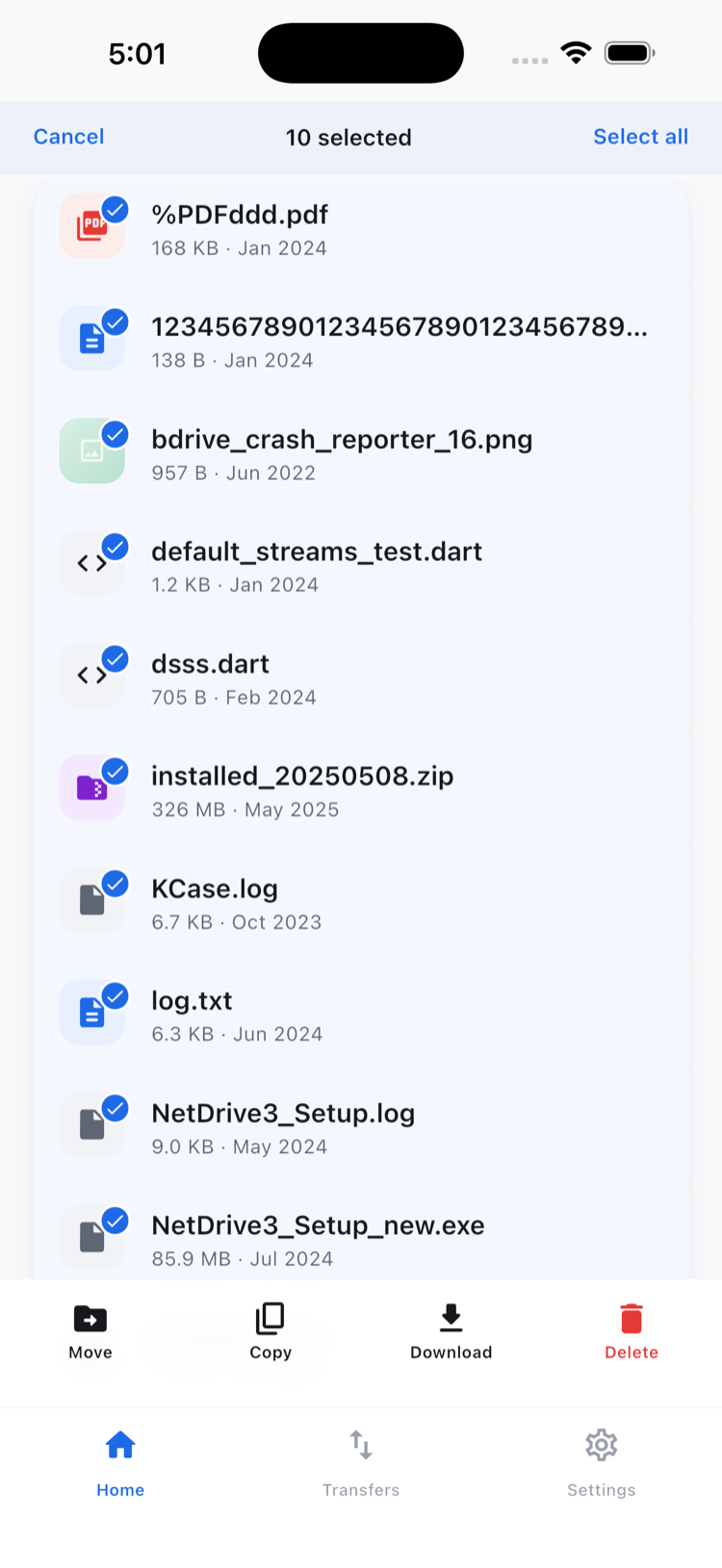
The same multi-select applies in reverse when uploading: picking several photos or files from the device at once starts them all as a single batch rather than forty separate upload actions.
Watching Progress and Cancelling One File Without Losing the Rest
Once a batch starts, the Transfers tab shows each file’s progress individually — not just an overall percentage for the whole batch. That matters because upload or download speed isn’t uniform: a 200 KB document finishes almost instantly, while a 40 MB video is still climbing.
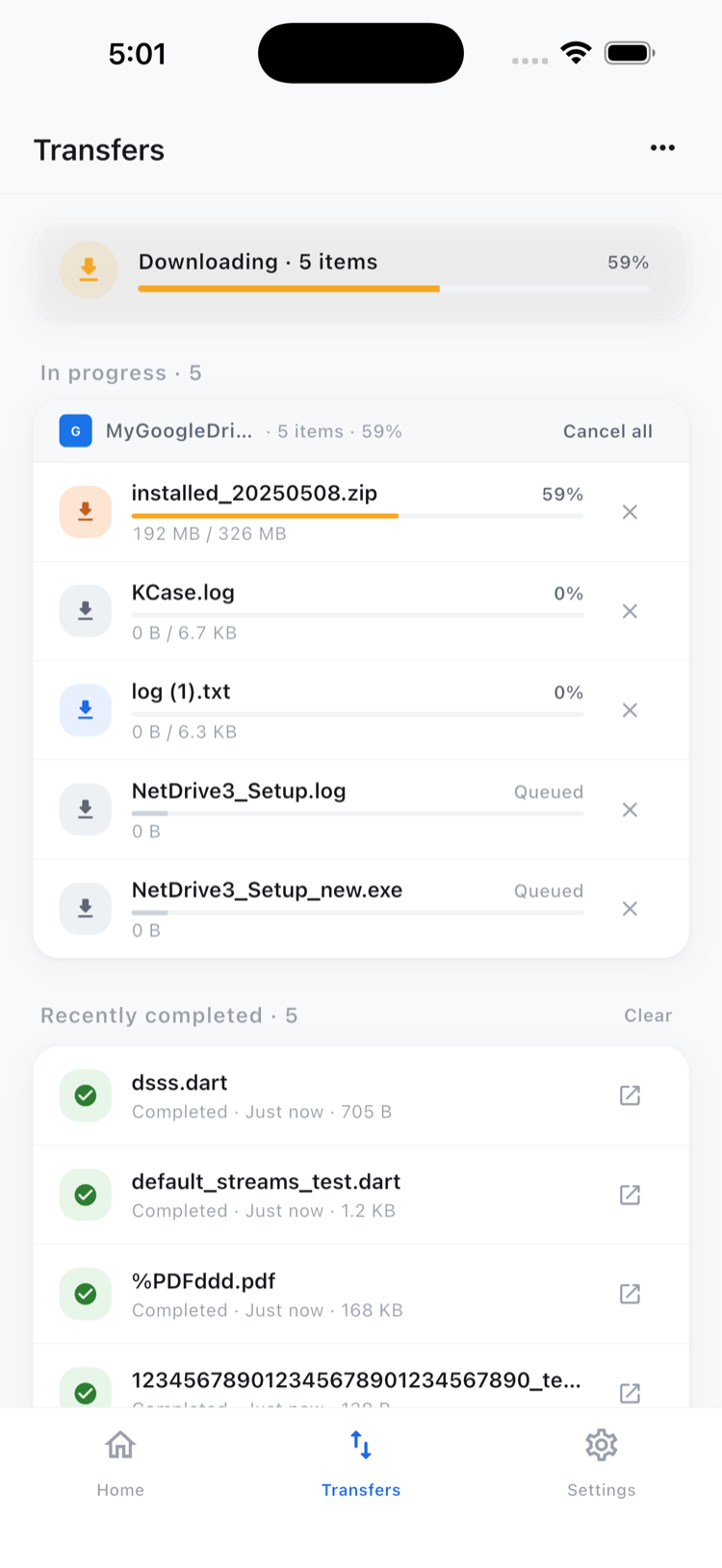
If one file in the batch is the wrong one, or you realize partway through that you don’t need the largest video after all, cancelling it stops that transfer alone — the rest of the batch keeps running. There’s no need to cancel and restart the whole set to drop one item, which is the difference between a five-second correction and re-uploading thirty-nine files you already sent successfully.
Transfers Keep Going While You Work in Another Cloud
Because NetDrive Mobile keeps every connected account available from one home screen, a transfer in progress doesn’t lock you into staring at the Transfers tab until it finishes. Starting an upload to Dropbox and then switching to browse a Google Drive folder, or checking a file on a WebDAV server, doesn’t interrupt the upload — it continues in the background, and the Transfers tab reflects its status whenever you check back.
This is also where NetDrive Mobile’s scope is worth being precise about: moving or copying files inside the app works within a single connected cloud at a time — organizing files inside that Dropbox account, for example. Copying a file directly from one provider to a different one (say, from Google Drive straight into an S3 bucket) isn’t something the multi-select actions do; that kind of cross-provider transfer is what NetDrive Mobile’s sibling product, RcloneView, is built for.
Wrap-up
For anyone moving more than one file at a time on a phone — a batch of site photos, a folder of scanned documents, a handful of videos before heading somewhere with unreliable signal — the combination of multi-select, per-file progress, and selective cancel turns what used to be a tedious one-by-one process into a single action you start and check on later.
To see the full picture of what NetDrive Mobile connects to, start with NetDrive Mobile — Every Cloud You Use, In One App, or go straight to a specific provider like Browse Dropbox on iPhone & Android — NetDrive Mobile.
— Kai, NetDrive