Browse Google Drive on iPhone and Android — NetDrive Mobile
Access Google Drive on iPhone and Android with NetDrive Mobile. Browse, upload, download, and preview files alongside all your other clouds in one app.
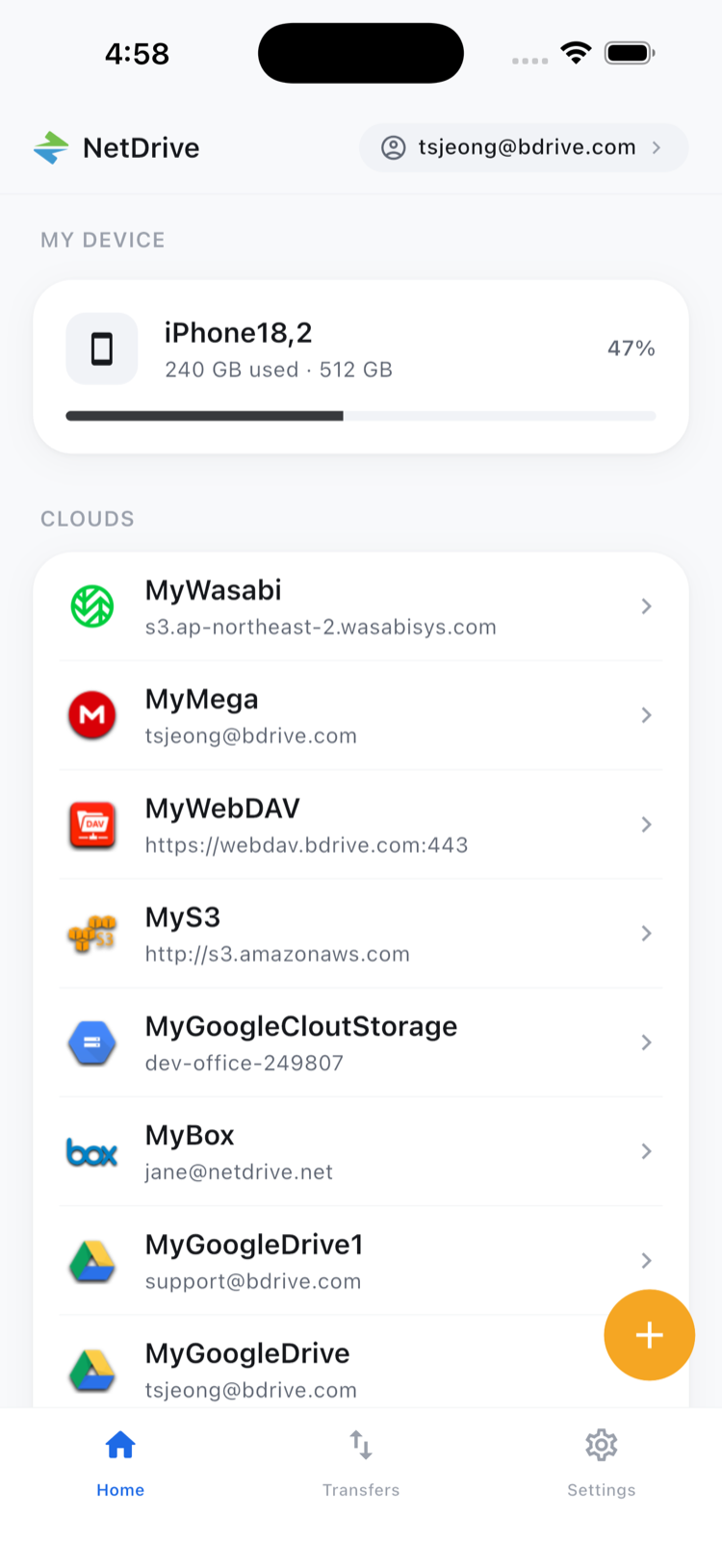
You’re on-site with a client and need to pull the brief sitting in your Google Drive — but you also need a reference file from an S3 bucket and a contract from OneDrive. The native Google Drive app shows you one account. NetDrive Mobile shows you all of them in the same view, with the same browse-upload-download workflow across every cloud you use.
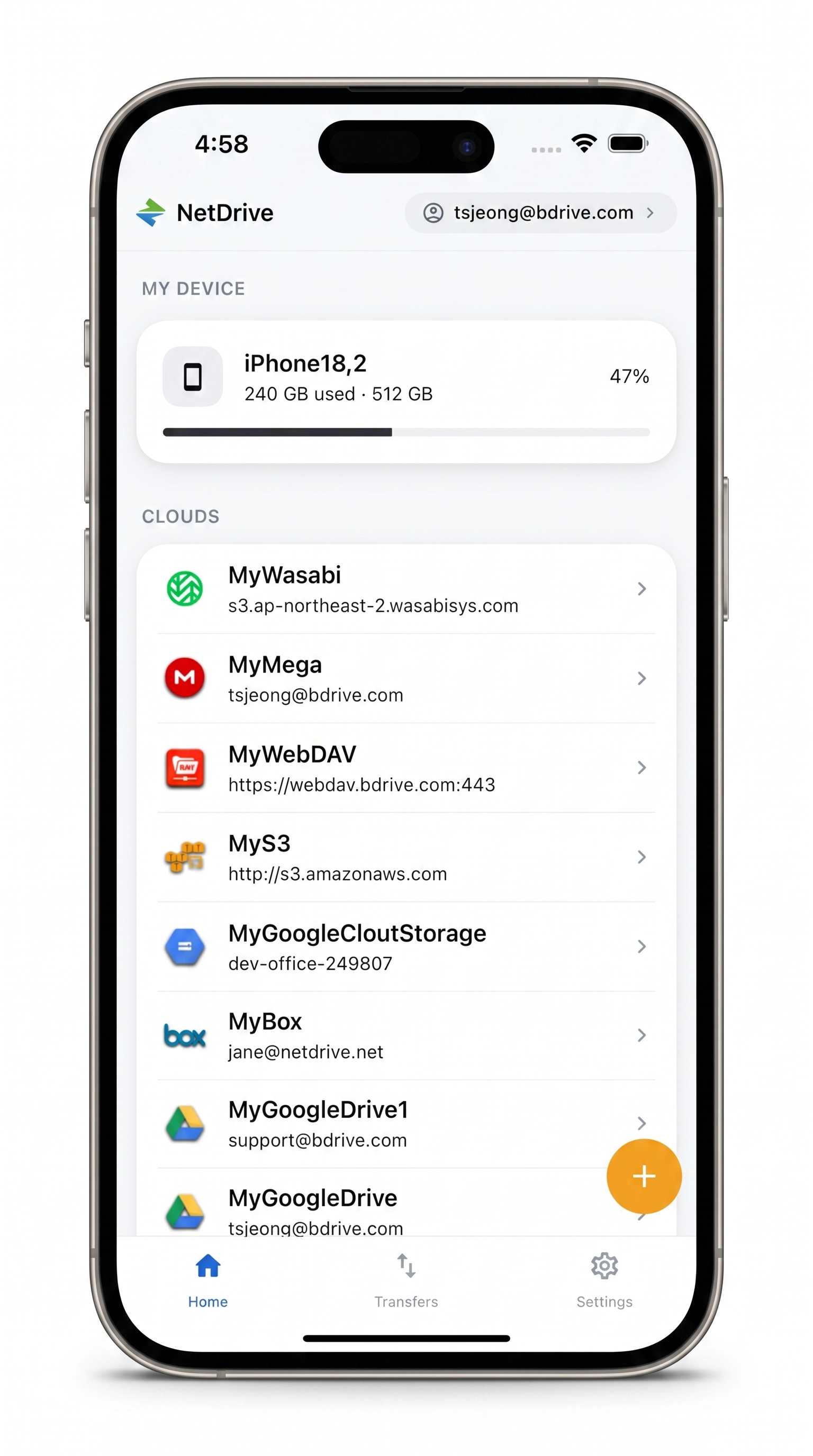
Google Drive and every other cloud — one app
Browse, upload, and download across all your clouds without switching apps.
- Google Drive alongside Dropbox, OneDrive, SharePoint, S3, and more
- Upload photos directly from your camera roll
- Preview documents and videos without downloading to local storage
Free Bdrive account required.
What NetDrive Mobile Does (and How It Differs from Desktop)
NetDrive Mobile is a multi-cloud file manager for iOS and Android. It gives you a single browser for Google Drive, Dropbox, OneDrive, SharePoint, Amazon S3, WebDAV, SFTP, and more — all without switching between dedicated apps.
This is different from the desktop version of NetDrive, which mounts clouds as drives in Windows Explorer or macOS Finder. On mobile there’s no OS-level mount concept. Instead, NetDrive Mobile lets you browse folder hierarchies, upload files from your phone, download files to local storage, preview documents and media in-app, and manage files directly in the cloud.
A free Bdrive account is required. Sign up at netdrive.net, or use Sign in with Apple or Google on the app’s login screen.
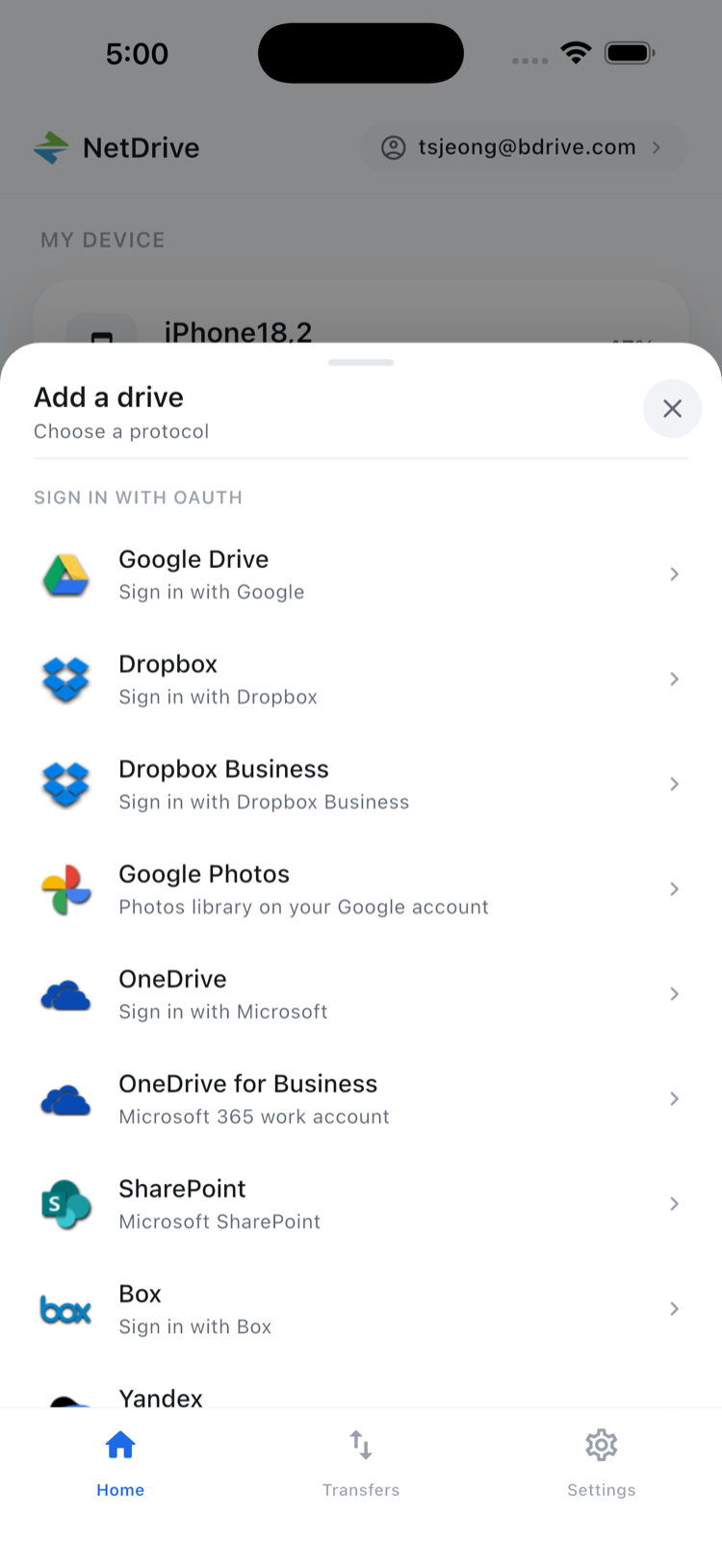
Adding Google Drive
On first launch, the app prompts you to connect your first cloud. To add Google Drive at any time:
- Tap the + button on the home screen to open the Add a drive sheet.
- Scroll to and tap Google Drive.
- The app opens a browser for Google’s OAuth consent screen. Sign in with your Google account and tap Allow.
- Google Drive appears on the home screen under Clouds. If you connect multiple Google accounts, give each a custom label to tell them apart.
NetDrive Mobile stores credentials in the device’s secure storage — iOS Keychain on iPhone, Android Keystore on Android — so your authentication tokens never leave the device unencrypted.
Browsing and Managing Files
Tap any connected Google Drive to open its root folder. NetDrive Mobile shows the same directory structure you see on the web: My Drive, Shared with me, and Team Drives if you’re on a Google Workspace account. Navigation is tap-to-open: tap a folder to drill in, use the back button or breadcrumb trail to navigate up.
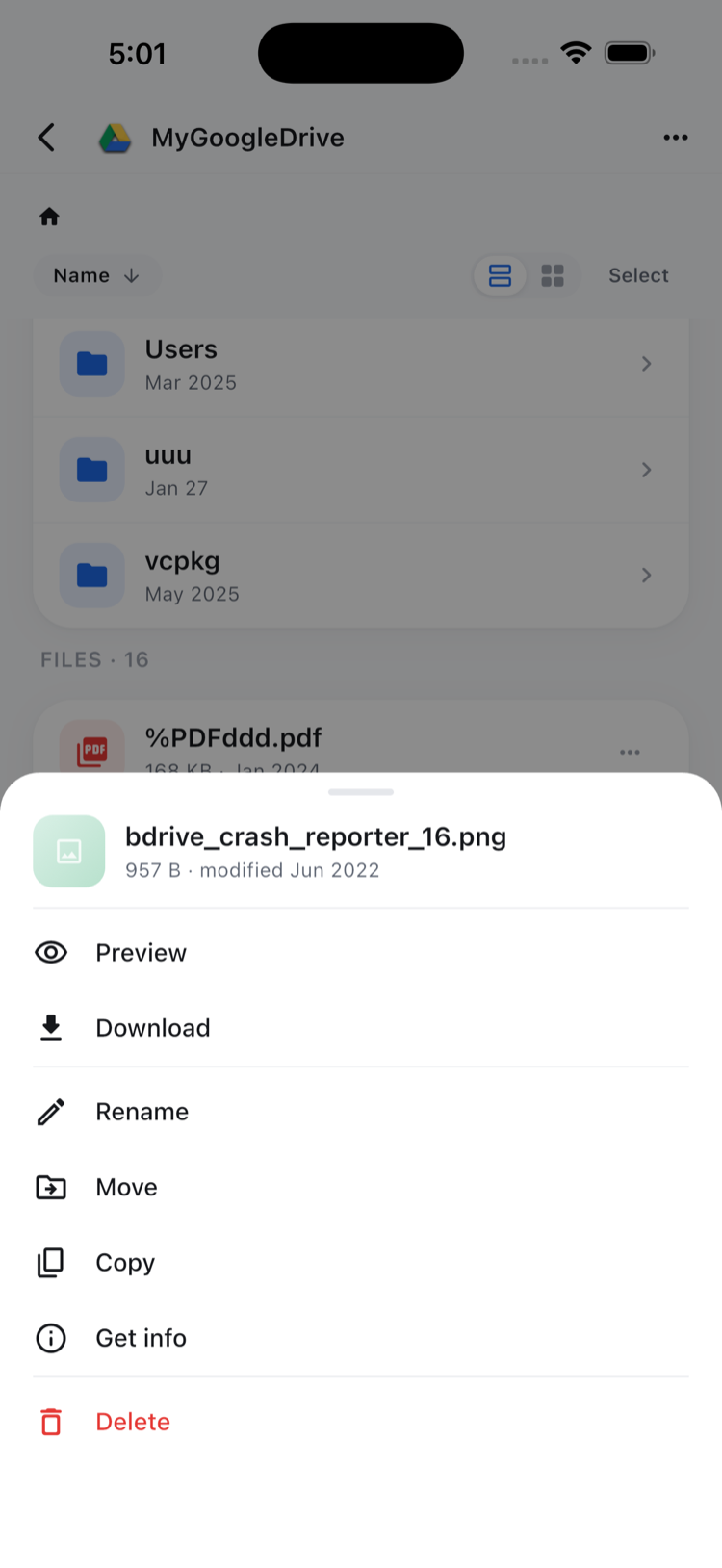
From any file, tap the ⋯ icon to open an action sheet:
- Preview — opens documents, images, and videos inside the app without saving to your Camera Roll
- Download — saves to device local storage for offline access
- Rename, Move, Copy, Delete — standard file management
- Get info — shows file size and last-modified timestamp
To upload, tap the upload icon in the toolbar and pick from your photo library, camera, or the system file picker (iOS Files / Android storage manager).
Transfers and Bulk Actions
Inside a connected Google Drive, the action sheet’s Copy and Move let you reorganize files — pick a destination folder within that drive and confirm. The real convenience is having every account in one place: instead of switching between separate apps, you browse and manage Google Drive, Dropbox, OneDrive, and the rest from a single home screen.
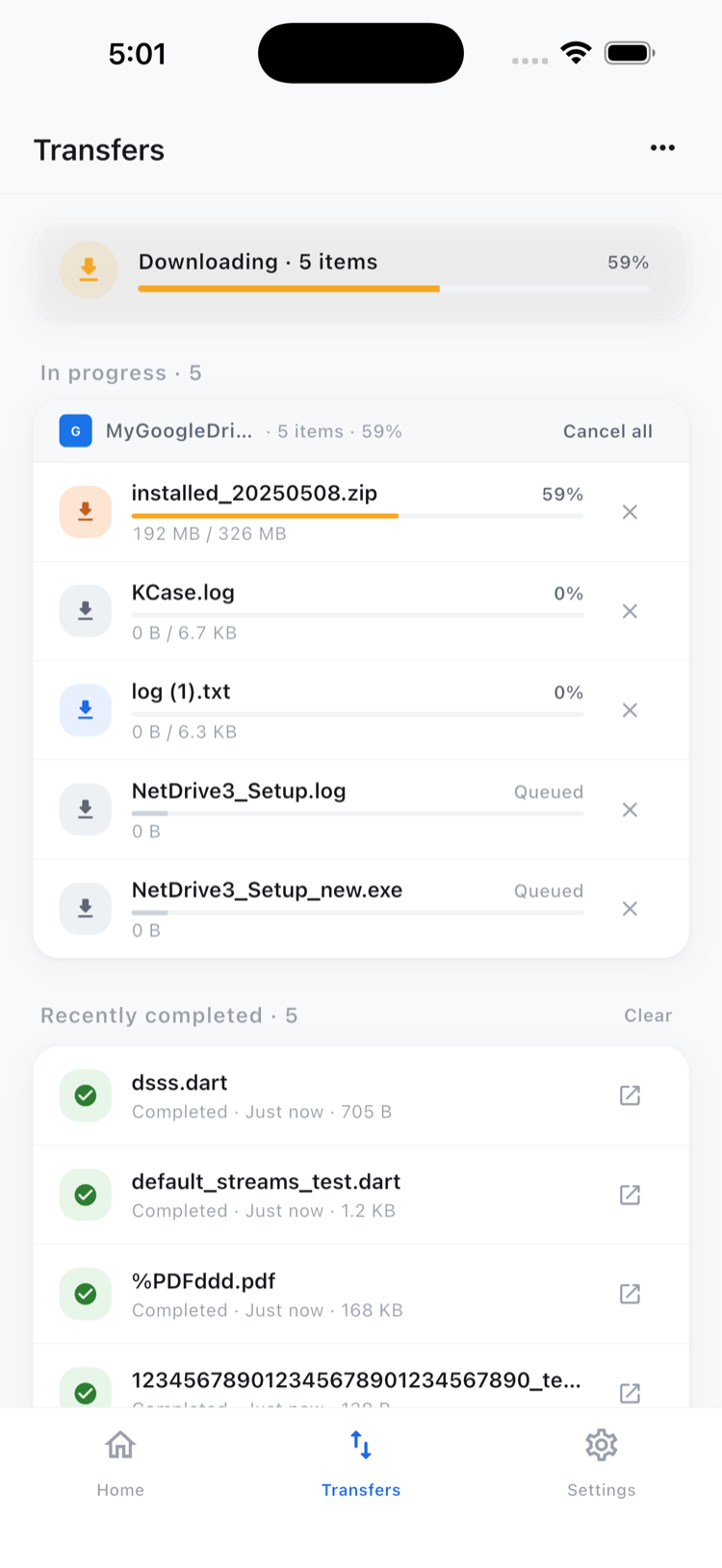
For batches of files, tap Select in the top toolbar, check the items you want, and use the bulk action bar at the bottom to move, copy, download, or delete the selection. The Transfers tab shows live progress for every active upload and download, and lets you cancel any in-flight transfer individually.
Google Drive on Both iPhone and Android
NetDrive Mobile runs on iOS 15 or later (App Store, id 1588863649) and Android (Google Play, com.bdrive.ndmobile). The app supports 11 languages including English, Korean, Japanese, German, French, and Spanish, and offers light and dark themes.
If you use Google Drive on a Workspace account with Shared Drives, those appear alongside My Drive when you browse — the same behavior as the web client. For large shared drives with thousands of files, the in-app directory listing fetches folder contents on demand so the initial load stays fast.
Wrap-up
NetDrive Mobile gives you the same familiar browse-manage-transfer workflow for Google Drive on iOS and Android — and adds every other cloud you use into the same view. For teams that span Google Workspace, SharePoint, and S3, it’s a practical alternative to keeping several separate storage apps installed.
For a full overview of NetDrive Mobile’s features and supported providers, see our NetDrive Mobile introduction. If you also need Google Drive access from your desktop, mounting Google Drive on macOS or Windows through NetDrive gives you a native drive letter in the file explorer.
— Tayson, NetDrive