Auto-Mount on Boot — NetDrive for Unattended Machines

Configure NetDrive to reconnect cloud drives automatically at system startup, before anyone logs in — built for build servers and shared workstations.
A CI runner reboots overnight for a Windows Update patch, and the next morning’s first build fails because the S3-backed drive it reads test fixtures from never came back. Nobody was logged in to trigger a reconnect, and the pipeline has no user session to click through. NetDrive’s mount-at-boot option exists for exactly this case: reconnect the drive during startup, before any interactive login happens.


Reconnect cloud drives automatically at boot
NetDrive lets Google Drive, OneDrive, S3, SFTP, WebDAV and more appear as native drives on Windows and macOS — no syncing, no full downloads.
- Drive comes back after a restart with nobody logged in
- Same encrypted credential store used for every mount type
- Works for build servers, kiosks, and shared workstations alike
Free trial. Lifetime and subscription plans available.
Why “Mount on Login” Isn’t Enough for Some Machines
NetDrive has offered automatic mounting since its original 3.x release, with a per-drive choice between mounting at boot, at login, or not automatically at all. Mounting at login covers the common case — a laptop where a person signs in every morning — but it doesn’t help a build agent, a kiosk display, or a server that needs its drives available before any interactive session starts.
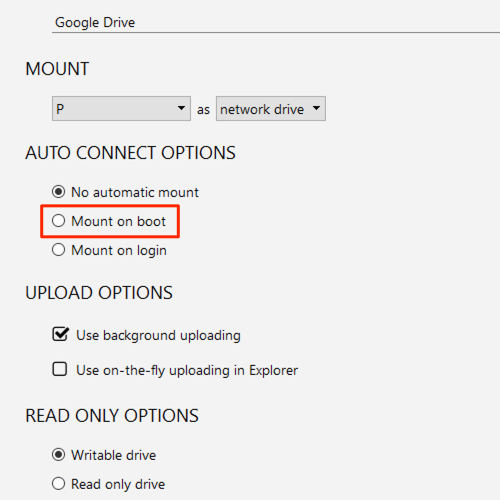
The boot option solves that gap by re-establishing the connection during the Windows startup sequence itself, using the same encrypted local credential store NetDrive uses for every other mount, with no prompt to click through.
Setting a Drive to Mount at Boot
- Open NetDrive and select the drive in the Drive Manager.
- Open the drive’s Settings.
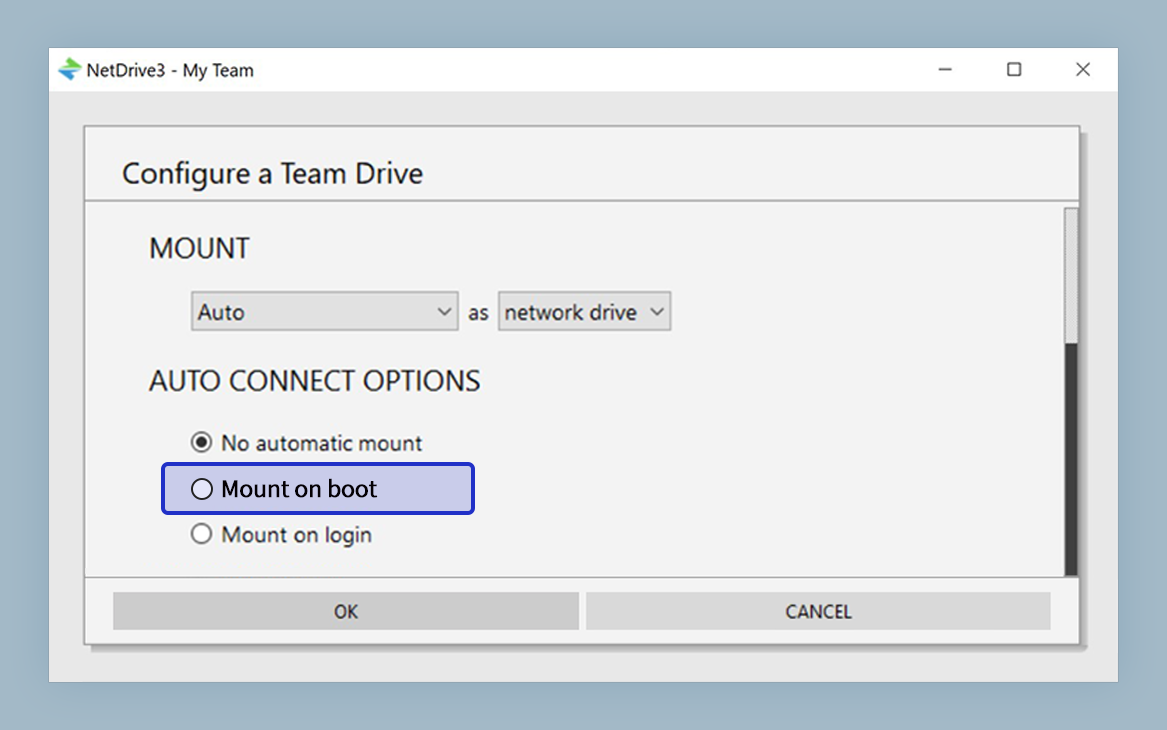
- Under Mount at, choose Boot instead of Login or Manual.
- Save the setting, then restart the machine (or the NetDrive service) once to confirm the drive comes back on its own.
Once set, the drive reappears at the same drive letter on every subsequent restart — a script or scheduled task that references Z:\data\ in its configuration finds a live mount every time, with no manual reconnect step.
Where This Matters Most
Build servers and CI agents. A runner that restarts between jobs — whether for patching, a scheduled reboot, or a crash — needs its cloud-backed test fixtures and artifact storage available the moment the machine comes up, not after someone remotes in and reconnects manually.
Shared or kiosk-style workstations. A lab machine or a shared editing bay that multiple people use across shifts benefits from having the drive present system-wide at boot rather than tied to whichever account happens to log in first.
Remote or headless servers. A machine managed mostly over a remote session, where an admin doesn’t want a mount to depend on that session staying open, gets the same reliability as a locally attached disk.
Boot Mount Still Uses Your Existing Credentials
Setting a drive to mount at boot doesn’t change how NetDrive authenticates to the provider — it uses the same access keys, OAuth tokens, or WebDAV/SFTP credentials already saved for that drive, stored encrypted on the local machine. There’s no separate service account or additional credential to manage; boot mount is purely a change to when NetDrive reconnects, not how.
If a drive’s credentials ever expire or get revoked at the provider — an S3 access key that gets rotated, for instance — the boot-time reconnect attempt fails the same way a manual mount would, and the drive won’t appear until the credentials in NetDrive are updated.
Wrap-up
For any machine that can’t rely on a person logging in to bring a drive back, mount-at-boot turns NetDrive into infrastructure rather than a per-session convenience. It pairs well with a scripted deployment: see the NetDrive MSI deployment guide for Windows IT admins for rolling the same configuration out across a fleet of machines, or DevOps S3 Test Fixtures with NetDrive for the CI use case this setting was built to solve.
— Jay, NetDrive