NetDrive Mobile for Construction Teams — Blueprints, Photos, One App
Construction site supervisors use NetDrive Mobile to pull SharePoint blueprints and upload progress photos from a phone camera without carrying a laptop.
A site supervisor walks the job each morning with a phone, snapping progress photos for the daily report and pulling up the general contractor’s latest blueprint revision from SharePoint before a subcontractor asks about a detail. The architect’s markups live in one cloud, the GC’s document library in another, and the crew’s own progress photos need to land in a third project folder by end of day — all without a laptop that stays locked in the truck. NetDrive Mobile keeps those connections in one app instead of three separate single-provider apps.
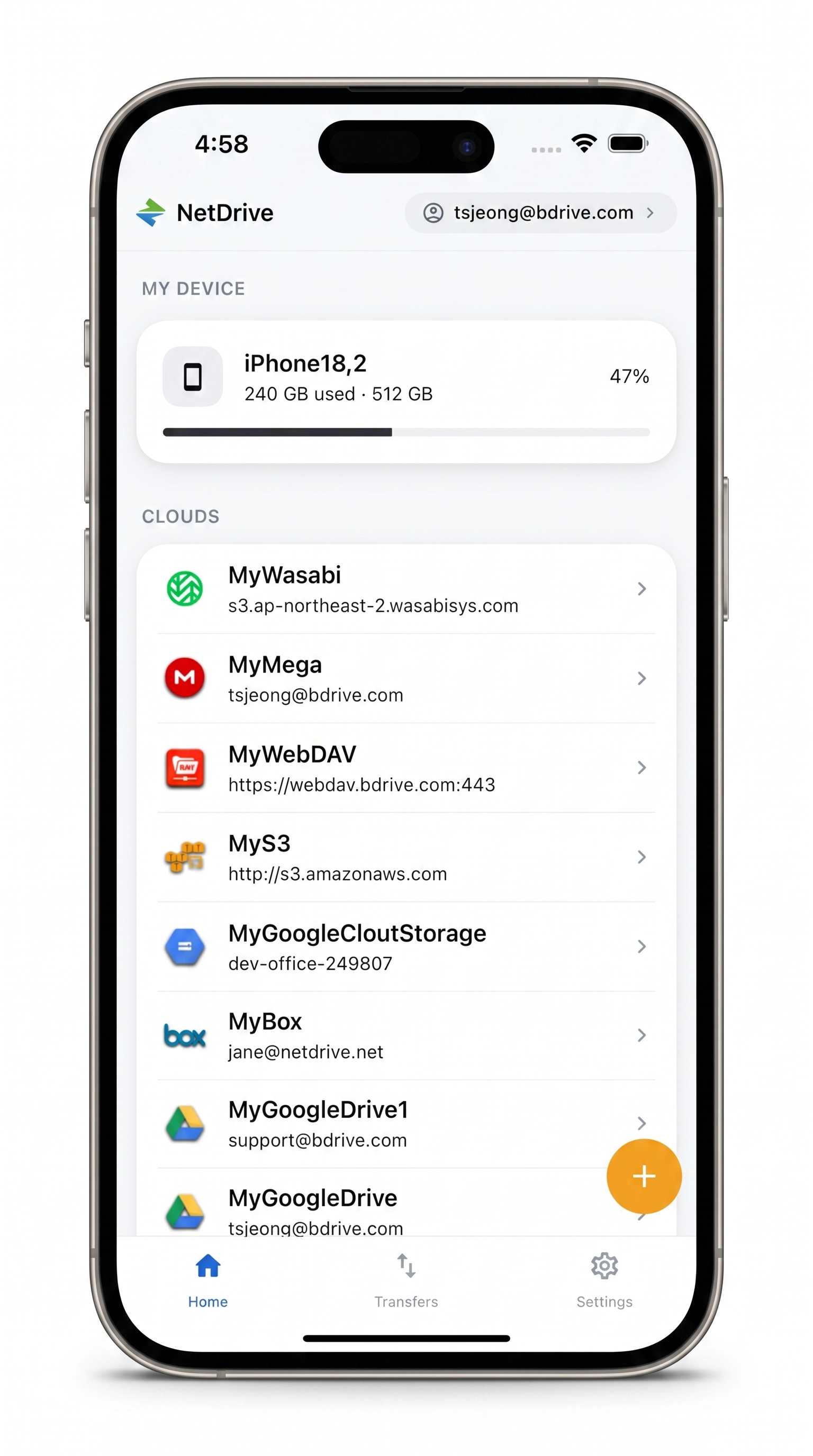
Blueprints and job-site photos, one app
NetDrive Mobile opens Google Drive, Dropbox, OneDrive, S3, WebDAV, SFTP and more in one app — browse, upload, download, and preview right from your phone.
- Open SharePoint blueprint revisions without downloading the whole document set
- Upload progress photos straight from the camera to the right project folder
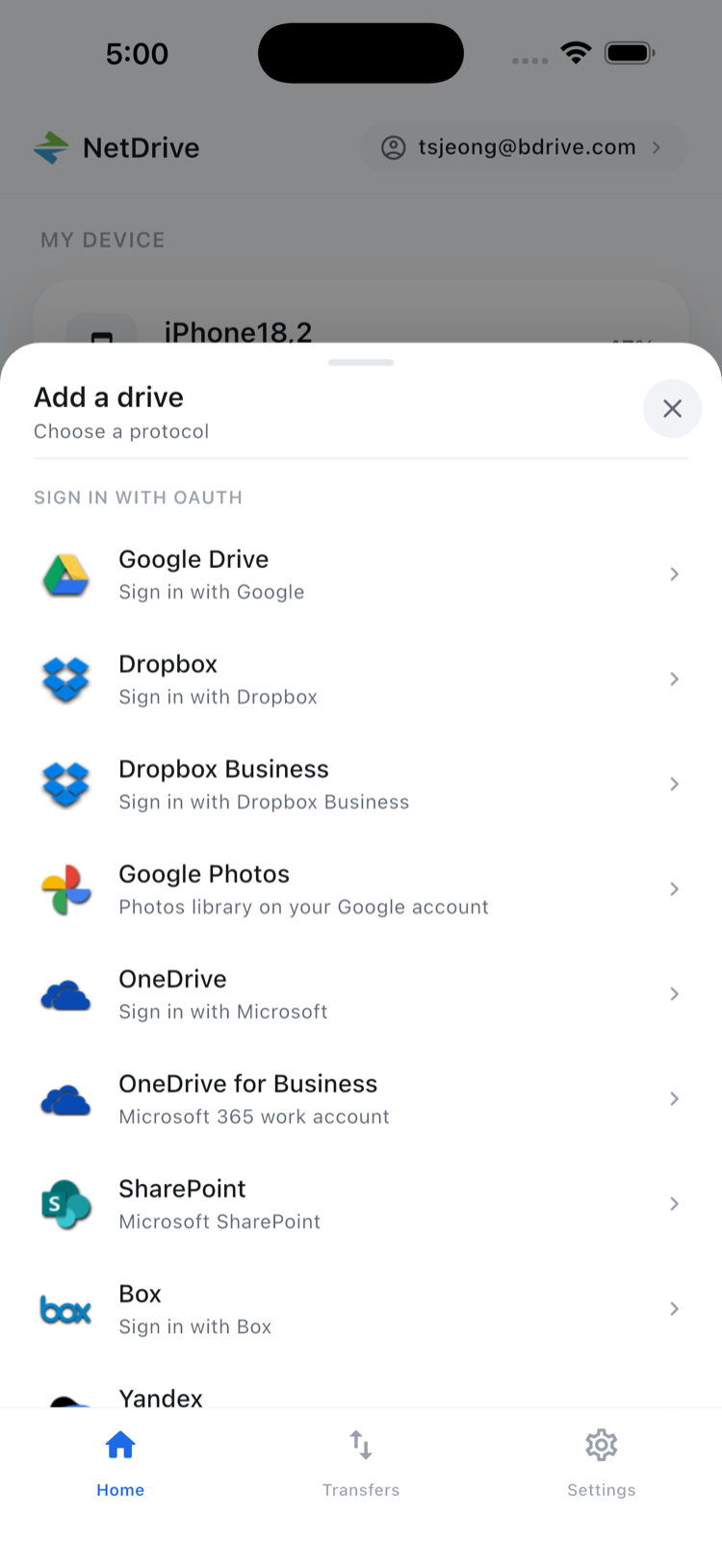
- Switch between the general contractor's SharePoint and a sub's Google Drive without changing apps
Free Bdrive account required.
Why One App Beats Three on a Job Site
Construction projects rarely run on a single cloud. The general contractor’s document library and blueprint revisions typically sit in SharePoint. A subcontractor submitting shop drawings might share them through Dropbox or Google Drive instead. The crew’s own daily progress photos need to land in whichever project folder the GC’s records use. Carrying separate apps for each — with separate logins, separate notification streams, and separate upload flows — is exactly the kind of friction that gets skipped when someone’s standing in a stairwell with one hand free.
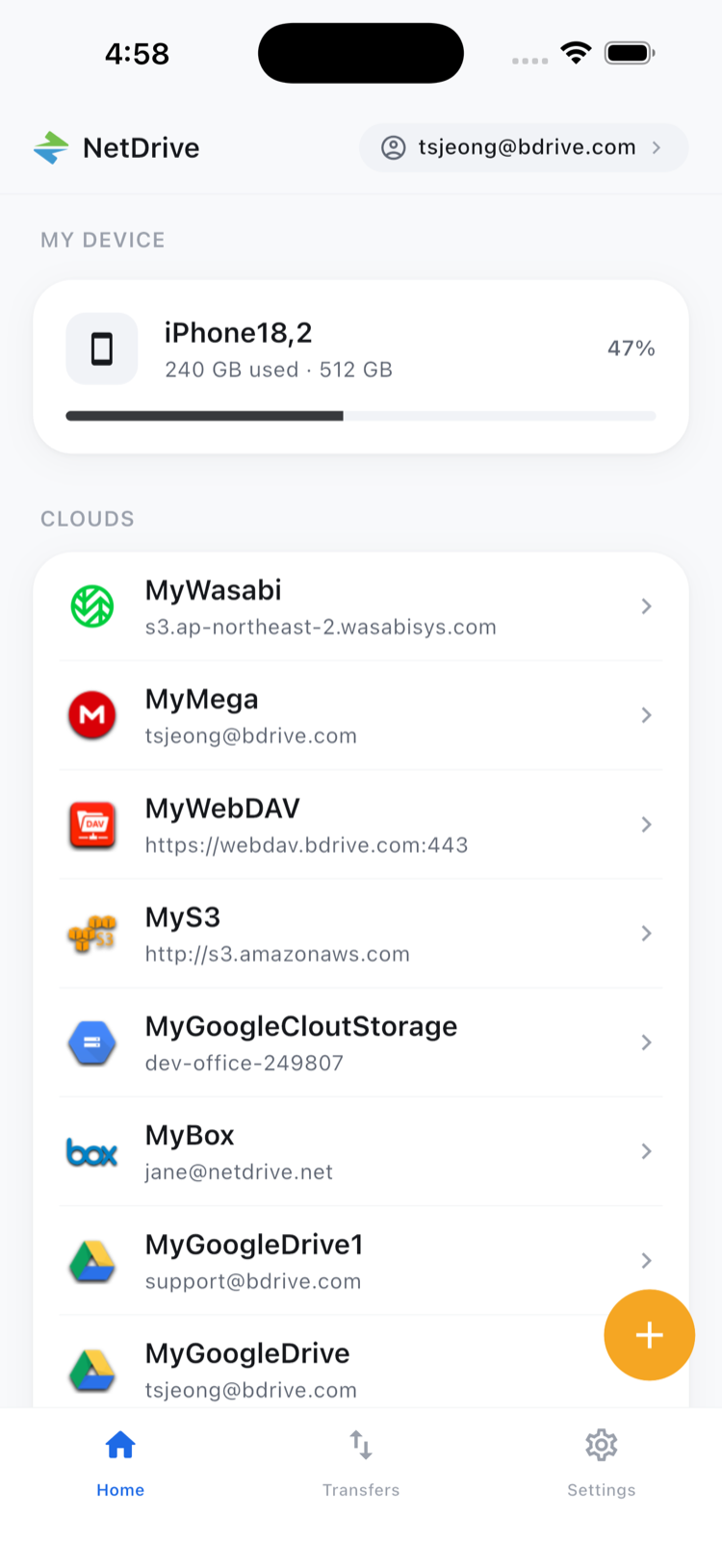
NetDrive Mobile’s home screen lists every connected cloud account side by side, so moving from the GC’s SharePoint library to a sub’s Google Drive folder is a tap, not an app switch. The free Bdrive account that ties it together is the only sign-up required.
Pulling Up the Latest Blueprint Revision On Site
- Open the app and tap the connected SharePoint drive — added ahead of time through the Add a drive sheet.
- Browse to the project’s document library folder where revisions are organized.
- Tap the latest revision to preview it in-app, whether it’s a PDF sheet set or an image export, without downloading the full document first.
- Zoom into the specific detail a subcontractor is asking about, right from the preview.
In-app preview handling common document and image formats means the supervisor isn’t waiting on a separate PDF viewer app to open, or downloading a multi-hundred-page set just to check one page.
Getting Progress Photos Off the Phone and Into the Project Folder
- Browse to the day’s project folder in the destination cloud.
- Tap upload and choose Camera or Photos as the source, then select the shots from the morning walkthrough.
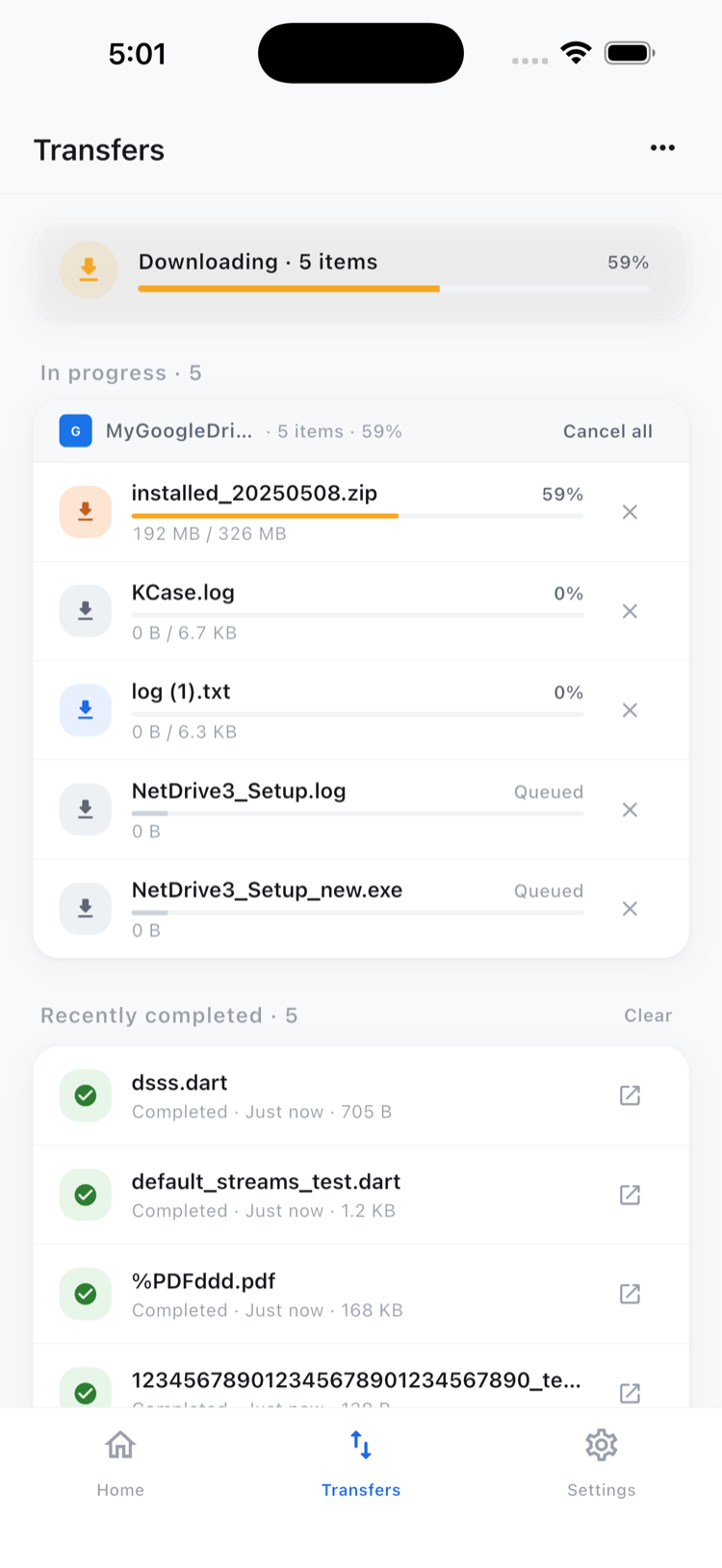
- Watch each transfer in the Transfers tab, where progress shows per file and any upload can be canceled individually if the wrong batch got selected.
- Use multi-select afterward to delete blurry duplicates or move the final set into a subfolder like “Foundation — Week 3” before the report goes out.
Uploads keep running in the background if the supervisor answers a call or checks a different app mid-transfer.
One limit worth knowing up front: moving a submittal a subcontractor emailed into Dropbox directly over to the GC’s SharePoint folder — cloud to cloud, in one step — isn’t something the mobile app does. Copy and move stay within a single connected cloud; a photo can move from an “Inbox” folder into “Foundation — Week 3” on the same Google Drive account, but getting a file from one provider straight into a different one is the domain of NetDrive’s sibling product, RcloneView.
Wrap-up
The value for a construction team isn’t any single feature — it’s not having to pick one cloud app per stakeholder on a project that never standardizes on one. For the batch cleanup workflow in more depth, see Organize Files On the Go. For a similar multi-cloud field workflow in a different industry, see NetDrive Mobile for Field Teams.
— Tayson, NetDrive