Mount Files.com on Linux — Enterprise File Transfers as a Mount Point

Mount Files.com on Ubuntu with NetDrive's experimental Linux build. Turn a business file-exchange account into a regular mount point instead of a browser tab.
A DevOps team running Ubuntu build servers uses Files.com as the hand-off point for release archives an outside packaging vendor picks up every sprint. Getting a build artifact there used to mean scripting an upload through Files.com’s API or babysitting a browser tab on a jump box. NetDrive’s Linux build mounts that same Files.com account as a regular mount point, so a build step can just write to a directory like anything else on disk.


Give Files.com a mount point on Ubuntu
NetDrive lets Google Drive, OneDrive, S3, SFTP, WebDAV and more appear as native drives on Windows and macOS — no syncing, no full downloads.
- Write build artifacts straight to a mounted Files.com directory
- No custom API scripting for routine uploads and downloads
- Runs alongside your other mounted clouds in one drive manager
Free trial. Lifetime and subscription plans available.
What Changes Once Files.com Is a Mount Point
Files.com is built as a business file platform — the kind of account a company sets up for exchanging documents and archives with outside vendors, clients, or auditors, with folder structure and permissions managed centrally. Without a mount, working with it from Ubuntu means either the web console or hand-rolled calls against its API for anything that needs to run unattended, such as a CI job that has to drop a nightly build somewhere a vendor can grab it.
NetDrive mounts the Files.com account at a regular mount point, so any process that can write to a directory — a shell script, a CI step, a scheduled cron job — can push files there without knowing anything about Files.com’s API. Reads work the same way in reverse: a script pulling reference files a vendor uploaded just needs a normal file path.
Before You Mount: Linux Requirements
NetDrive’s Linux build is labeled experimental on the comparison page — not marketing caution, but the accurate support tier. Windows and macOS get NetDrive’s primary testing effort; Linux gets the same provider connections without the same breadth of validation across distributions and kernel versions. The minimum supported version is Ubuntu 16.04, and the package is distributed from github.com/NetDrive/installer rather than through apt or a Linux package manager, so checking for updates is a manual step.
Files.com support arrived in NetDrive’s current release cycle alongside four other new providers — Koofr, Filen, ImageKit, and OpenDrive — each aimed at a different kind of storage need. None of that changes how the Linux build handles the connection: authentication and mounting go through the same drive-list flow NetDrive uses for every other provider.
Adding a Files.com Drive on Ubuntu
- Install NetDrive from the GitHub releases page, following that repository’s instructions for the required driver component — this step happens once per machine.
- Launch NetDrive and open the Drive Manager.
- Click + Add Drive and select Files.com from the provider list.
- Sign in with the Files.com account credentials when prompted.
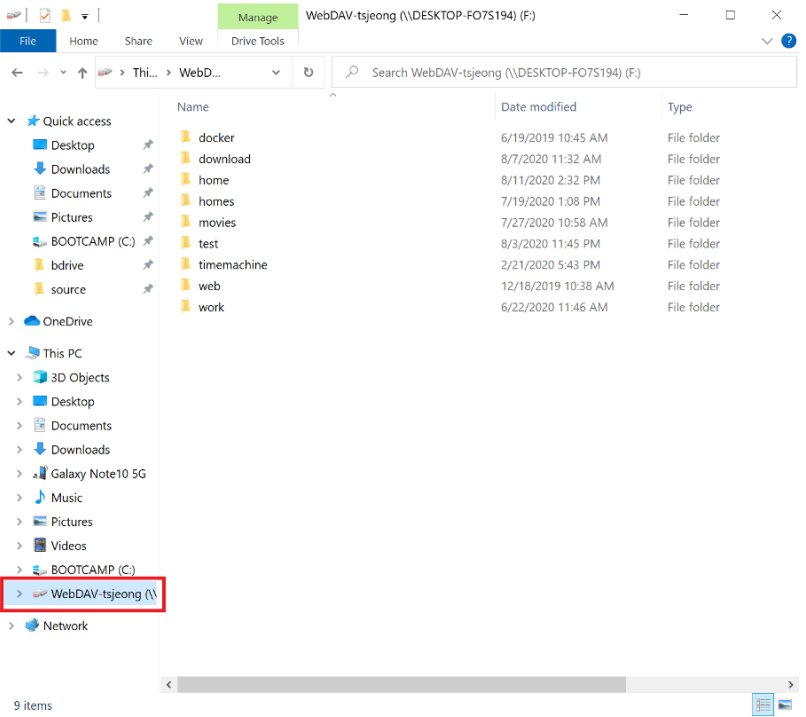
- Set a mount point and confirm. The Files.com root folder becomes available at that path within a few seconds.
Because distribution runs through GitHub releases rather than a package manager, it’s worth confirming the mount actually connected before wiring a script or cron job to depend on it — check from a terminal with mount piped to grep for your mount point, or a plain ls, rather than trusting the GUI alone.
Working With Files.com Day to Day
Once mounted, the Files.com directory behaves like any other path on the filesystem. Copying a release archive into it queues a background upload, visible in NetDrive’s upload tray, so a large artifact doesn’t block the script that’s writing it. Renames, deletes, and folder moves happen through the mount point the same way they would on local disk, and NetDrive pushes the change back to Files.com.
For a team standardizing on Files.com for external hand-offs while also keeping build fixtures in an S3 bucket or a self-hosted SFTP server, that consistency is the actual payoff: one drive manager, one mount concept, instead of a different script or client library for each destination. Document exchanges that involve more than one person touching the same folder can also use NetDrive’s file lock, which applies to any file type — not just Office documents — so a teammate can’t overwrite a file mid-edit.
Wrap-up
Mounting Files.com on Ubuntu turns a browser-only or API-scripted workflow into a plain mount point any process can read from or write to — with the caveat that Linux support is experimental, so validate it against your own distribution and workload before depending on it for anything unattended. For the same provider on a more heavily tested platform, see Mount Files.com on Windows with NetDrive or Mount Files.com on macOS with NetDrive. For more on the Linux build itself, read NetDrive on Ubuntu Linux.
— Kai, NetDrive