Small Business Owners with NetDrive Mobile: Invoices and Receipts

Small business owners use NetDrive Mobile to open invoices, upload receipts and manage files across Google Drive, Dropbox and OneDrive from one app on iPhone and Android.
A florist is standing in a supplier’s warehouse when the owner needs last month’s invoice. It lives in the accountant’s shared Dropbox, while the price list sits in the shop’s Google Drive and the delivery schedule in a OneDrive folder. NetDrive Mobile opens all three in one app on iPhone and Android, so the answer takes a few taps instead of three logins.
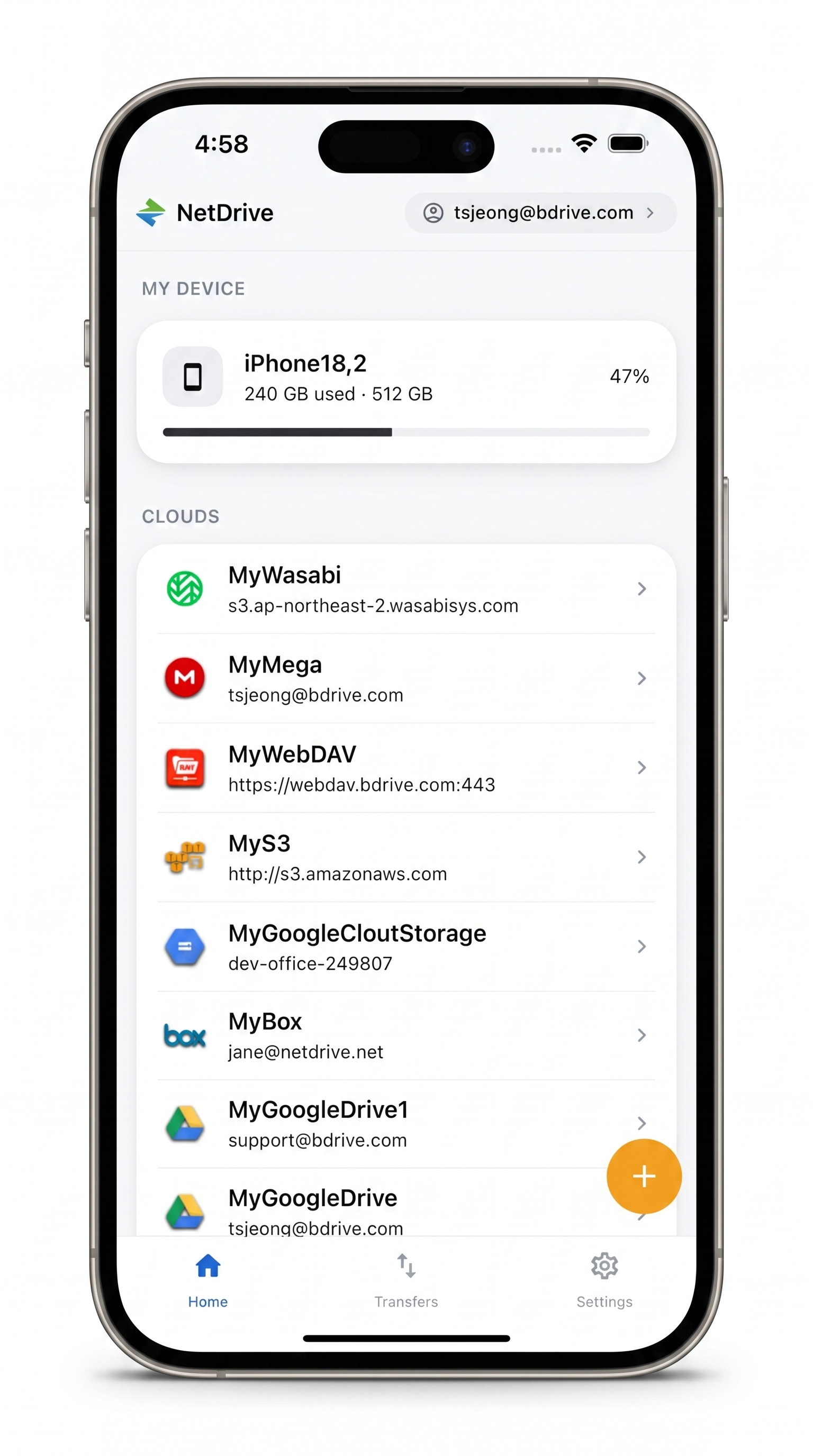
Your business files, one app
Switch between Google Drive, Dropbox, OneDrive and more without leaving the app.
- Open invoices and contracts with in-app preview
- Upload receipt photos straight from the camera
- Keep every business cloud in one list
Free Bdrive account required.
Why Business Files End Up in Several Clouds
Small businesses rarely choose one storage service. The accountant invites you to hers, a client shares a project folder, and a supplier sends price sheets through a third. NetDrive Mobile lists every connected account on the home screen, along with the phone’s own storage, so you pick the right one in a tap.
The app needs a free Bdrive account. You can also sign in with Apple or Google, and if you turn on two-factor login the approval code arrives as a notification, including on the lock screen.
Connecting the Accounts You Use
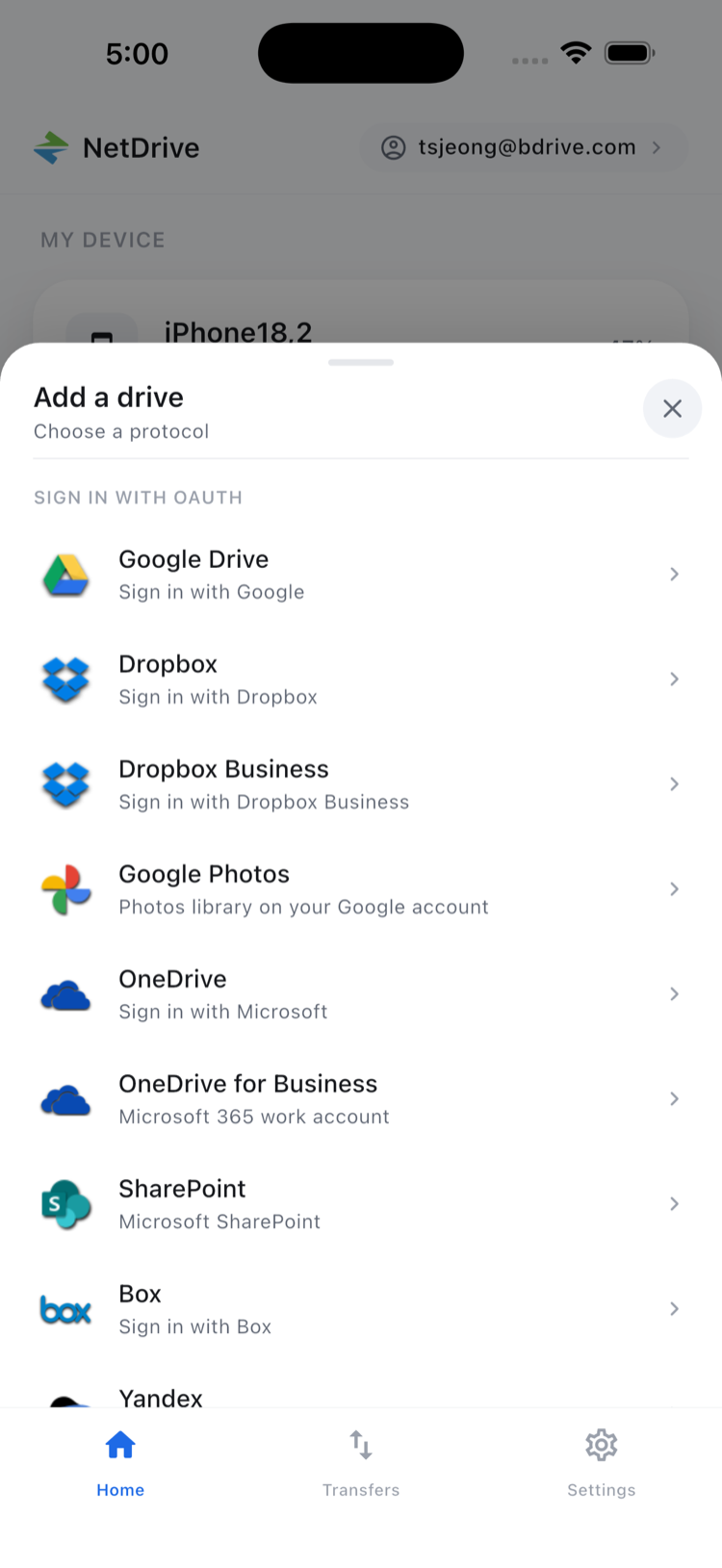
Open the Add a drive sheet from the home screen, choose a provider and sign in. Business-friendly options include Google Drive, Dropbox, Dropbox Business, OneDrive, OneDrive for Business, SharePoint and Box. If your files sit on an office NAS or web host, WebDAV, FTP and SFTP are in the same list.
Credentials stay in the phone’s secure storage (Keychain on iOS, Keystore on Android). Add each account once at your desk, and it remains in the list afterwards.
Previewing Documents Before Sending Them
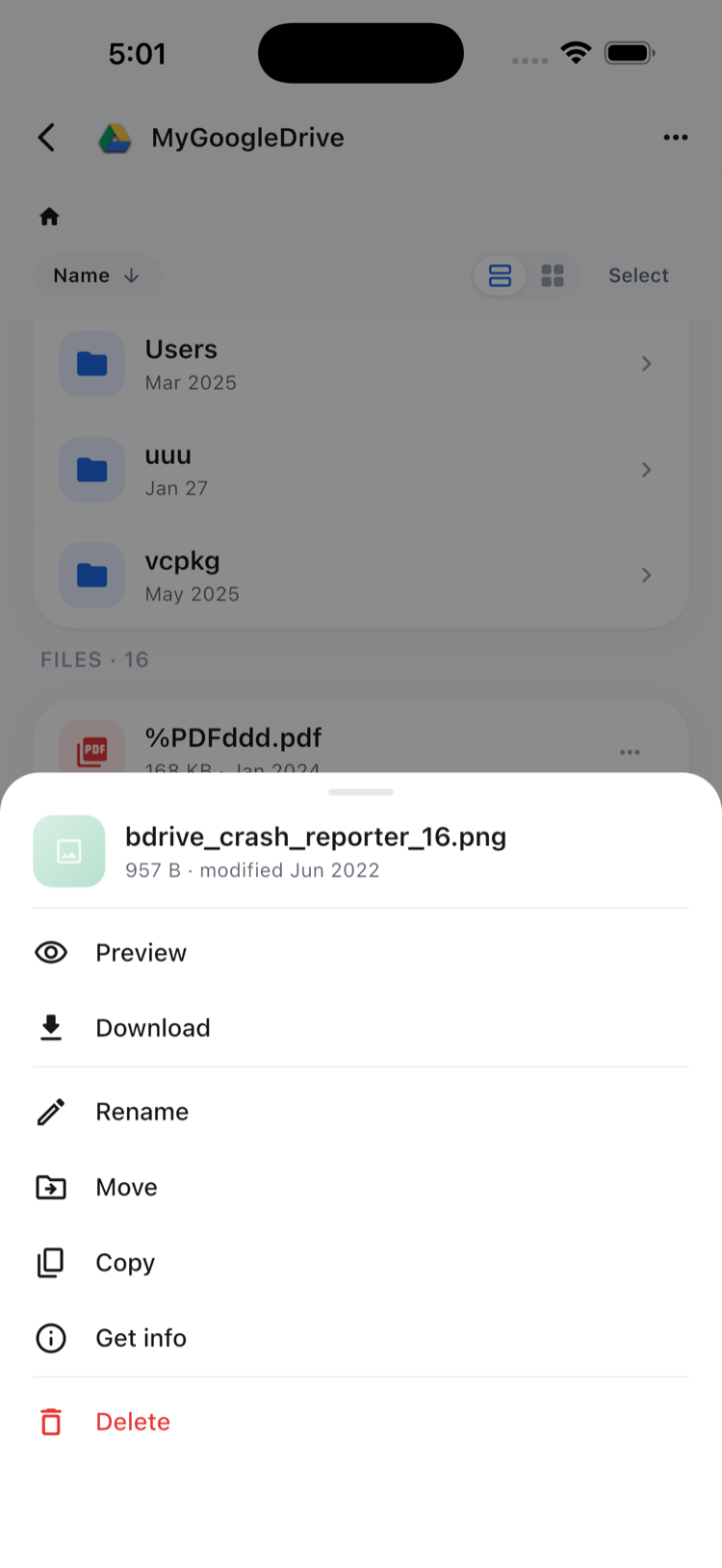
Tap a file in any cloud and the file actions sheet offers Preview, Download, Rename, Move, Copy, Get info and Delete. Preview opens PDFs, images and many documents inside the app, which is useful for checking you have the right quote before you email it. Download a copy only when you need it on the device.
Capturing Receipts and Job Photos
Receipts pile up fast: fuel, supplies, parking. Use the upload action to take a photo with the camera, or pick existing shots from the photo library, then send them to a folder such as “Receipts 2026” in the cloud your bookkeeper reads. You can queue several uploads at once, watch live progress in the Transfers tab, and cancel any that you started by mistake.
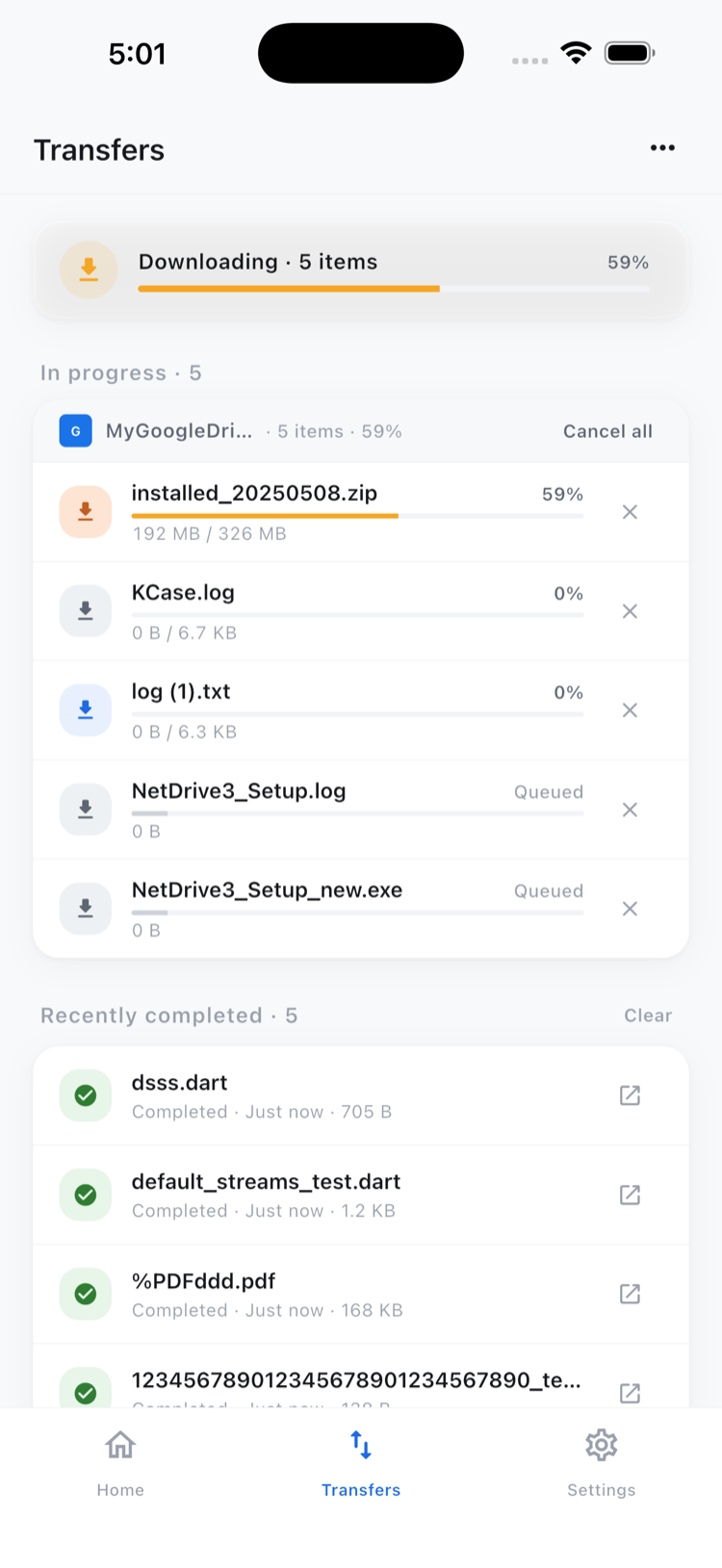
A habit that works: name a monthly folder in advance, upload receipts the same day, then confirm in the Transfers tab that everything finished before you clear the photos from the phone.
Keeping Folders Tidy
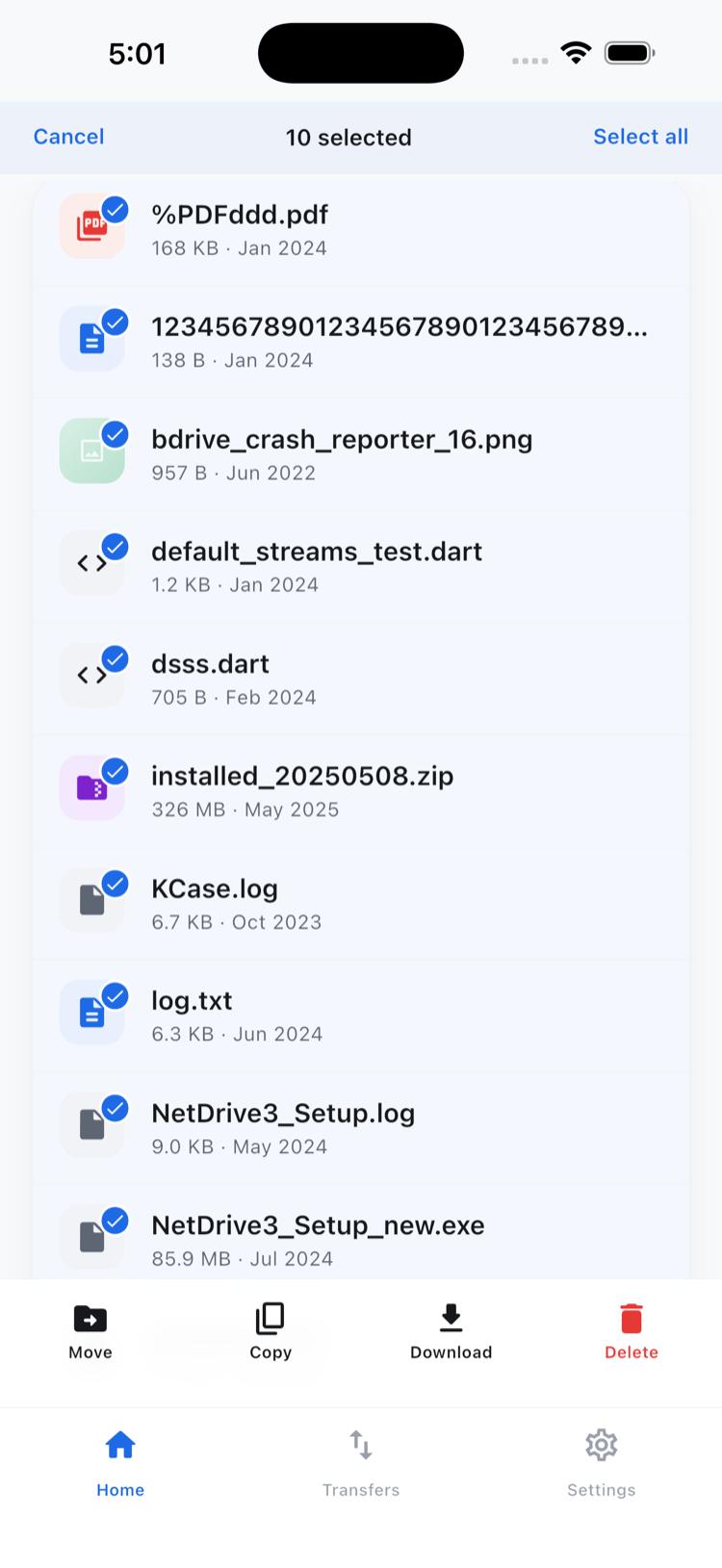
Rename, move and copy work inside a single cloud. That covers the common jobs: sorting loose scans into a client folder, or duplicating a template quote before you edit it. Select several files at once to move or delete them in one action. Sending a file directly from one provider to a different one is not something NetDrive Mobile does, so download it first and upload it where it belongs.
What to Keep in Mind
NetDrive Mobile is a file manager, not an offline vault, so critical documents should also exist somewhere you can reach without a signal. Google Photos access is limited to items the app itself uploaded. The app supports light and dark themes and 11 languages, which helps when staff prefer a different interface language.
Wrap-up
For an owner who spends the day away from a desk, one app that knows where every business folder lives saves real time. Start with NetDrive Mobile — Getting Started, then read Upload Phone Photos to Any Cloud and Organize Files with NetDrive Mobile.
— Morgan, NetDrive