NetDrive's nd3cmd — Scripting Drive Mounts From the Command Line

NetDrive's nd3cmd command-line tool mounts, unmounts, and checks drive status without opening the GUI — useful for scheduled tasks, CI agents, and remote administration.
An IT admin managing forty Windows Terminal Server sessions doesn’t want to click through NetDrive’s GUI on every one of them just to get a shared drive mounted at login. A build agent running unattended overnight can’t click through a GUI at all. Both cases need the same thing NetDrive’s drive manager provides visually — mount, unmount, check status — reachable from a script instead.


Automate mounts instead of clicking through the GUI
NetDrive lets Google Drive, OneDrive, S3, SFTP, WebDAV and more appear as native drives on Windows and macOS — no syncing, no full downloads.
- Mount, unmount, and query drive status from a script
- Fits scheduled tasks, login scripts, and CI build agents
- Runs alongside the GUI drive manager, not instead of it
Free trial. Lifetime and subscription plans available.
Why Some Setups Need a Command-Line Path
NetDrive’s drive manager is built around clicking Add Drive, picking a provider, and watching a card appear in the list — a fine flow when a person is sitting at the machine setting up one or two drives. It breaks down once the same mount needs to happen dozens of times without anyone present: at login on every seat of a multi-user Terminal Server, at the start of every CI job on a build agent, or on a remote box an admin only reaches over SSH or RDP with no interest in launching a GUI.
NetDrive has shipped a command-line tool for exactly this since nd3cmd was added in version 3.8.921 (2019-09-21) — the same release that brought Microsoft Office file locking and macOS dark mode.
What nd3cmd Handles
nd3cmd covers the same core actions the GUI’s drive manager does — mounting a configured drive, unmounting one, and querying whether a drive is currently connected — but callable from PowerShell, a batch script, or whatever a configuration-management tool runs on the target machine. That’s enough to replace the manual click-through for the common automation cases: mount a shared team drive as part of a login script, unmount cleanly before a scheduled reboot, or check drive status before a job that depends on the mount being up starts doing real work.
Exact flags and syntax have shifted across releases, so this post won’t guess at a command line that might not match what’s installed on a given machine. The NetDrive support forum keeps the current nd3cmd reference for whatever version is running.
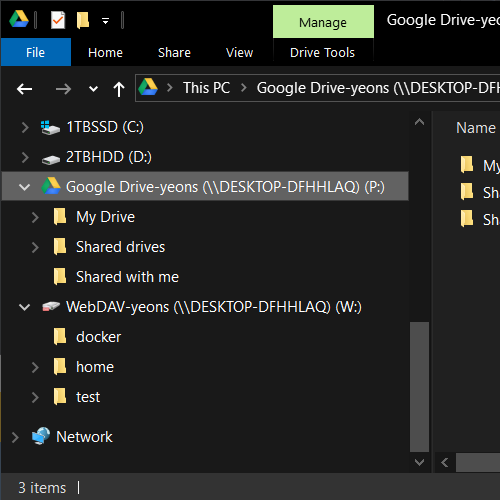
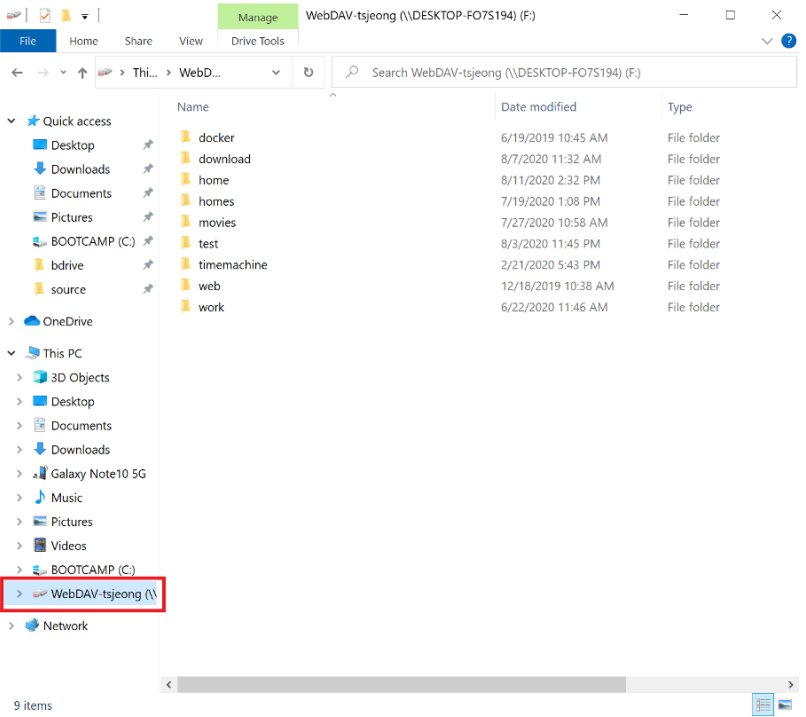
Even when a drive is mounted through a script rather than the GUI, the same file-status overlay icons still show up in Windows Explorer for anyone who does log in to check on it — there’s no separate scripted-vs-manual state to reconcile.
Getting From “It Exists” to a Working Script
- Confirm
nd3cmdships with the installed NetDrive version — it’s bundled with the desktop client, not a separate download. - Pull the current command reference for that version from the support forum rather than reusing syntax from an older post or a different machine’s install.
- Run the mount, unmount, and status commands manually first against a test drive, confirming each one does what the reference says before anything depends on it.
- Wire the confirmed commands into the login script, scheduled task, or CI step that needs them, and check drive status as a pre-flight step before any job that reads or writes through the mount.
Where It Fits in a Larger Setup
A CI pipeline that mounts a different S3 bucket depending on which branch is building is a natural fit — the same pattern covered in DevOps S3 Test Fixtures With NetDrive, where the mount needs to happen without a person choosing the bucket by hand each time. On the admin side, a Windows Terminal Server environment serving many concurrent user sessions benefits the same way, mounting each user’s drive at login instead of asking every person to set it up themselves — see NetDrive on Windows Server 2022 for more on that kind of multi-session deployment. Either way, nd3cmd sits next to — not in place of — auto-mount-on-boot behavior for machines where a person does still log in normally.
Wrap-up
nd3cmd turns the actions NetDrive’s GUI already provides into something a script can call, which matters the moment a mount needs to happen on a schedule, on a build agent, or across dozens of unattended sessions at once. Check the support forum for the exact syntax on your installed version before scripting against it, and see Auto-Mount on Boot in NetDrive for the GUI-side automation option when a person is still logging in normally.
— Morgan, NetDrive