Synology NAS
NetDrive connects to a Synology NAS with WebDAV. First turn on WebDAV Server in DSM, the NAS's web interface. Then add a WebDAV drive in NetDrive. If the connection does not work, see Synology under troubleshooting.
Set up WebDAV in DSM
The pictures below are from an earlier version of DSM. Names and places in DSM may have changed since.
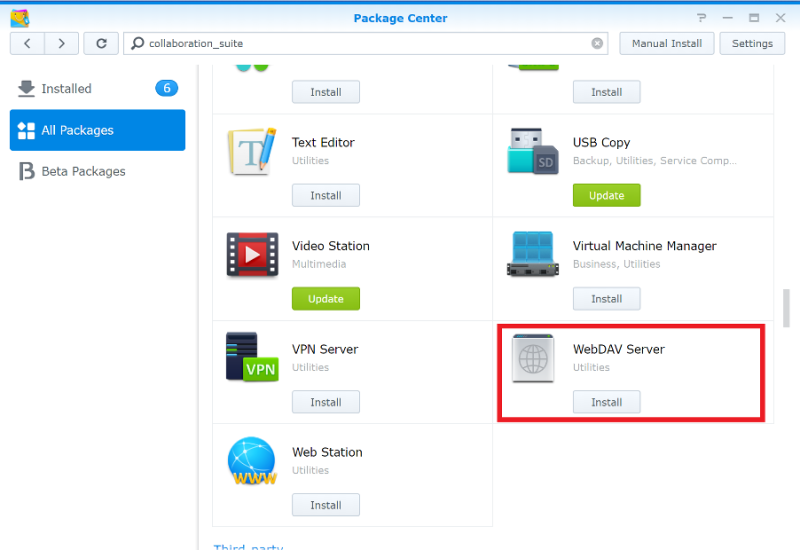
In DSM, open Package Center. Find WebDAV Server and install it.
Open WebDAV Server. Under HTTP/HTTPS, select Enable HTTP, Enable HTTPS, or both, and click Apply. Note the port numbers: by default HTTP port is
5005and HTTPS port is5006. HTTPS encrypts the connection; use it especially when you connect over the internet.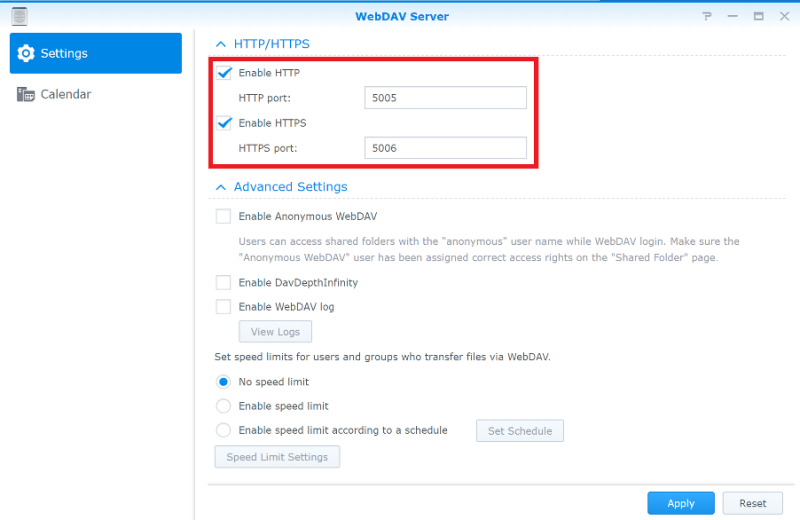
To connect from outside your local network, the NAS needs an internet address. In Control Panel, open External Access and then the DDNS tab. The Hostname there, such as
mynas.synology.me, is the address you enter in NetDrive. Skip this step if DDNS is already set up, or if you connect only from your local network.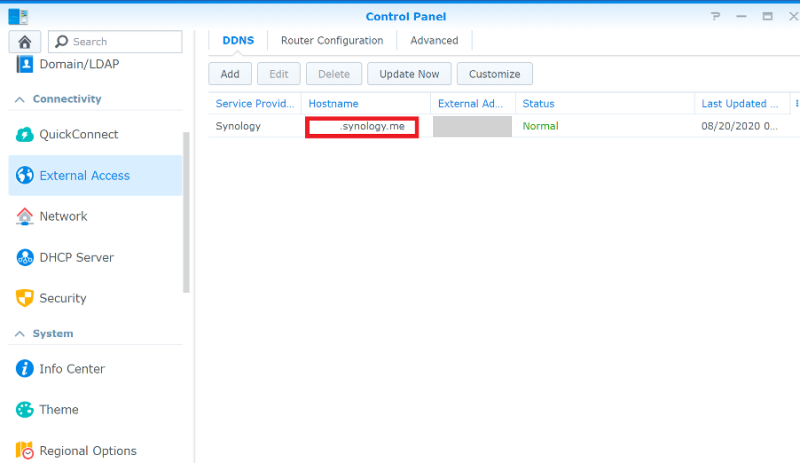
If the NAS is behind a router, the router must also forward the WebDAV port to the NAS. The DSM account you use in NetDrive must be allowed to use WebDAV Server.
Add the NAS in NetDrive
- Click Drives in the left menu, and then click Add drive.
- In Storage type, choose WebDAV. It is in the Frequently used group.
- Click Connect. The WebDAV form opens with Authentication next to its title.
Under Server, enter the NAS address in the box after
http://: the DDNS host name, such asmynas.synology.me, or the NAS's IP address on your local network.- For HTTPS: select Use SSL(https), and enter
5006in Port. - For HTTP: enter
5005in Port.
Typing
https://in the address box does not turn on HTTPS. Select Use SSL(https).- For HTTPS: select Use SSL(https), and enter
Under Account, enter your DSM user name in User and its password in Password.
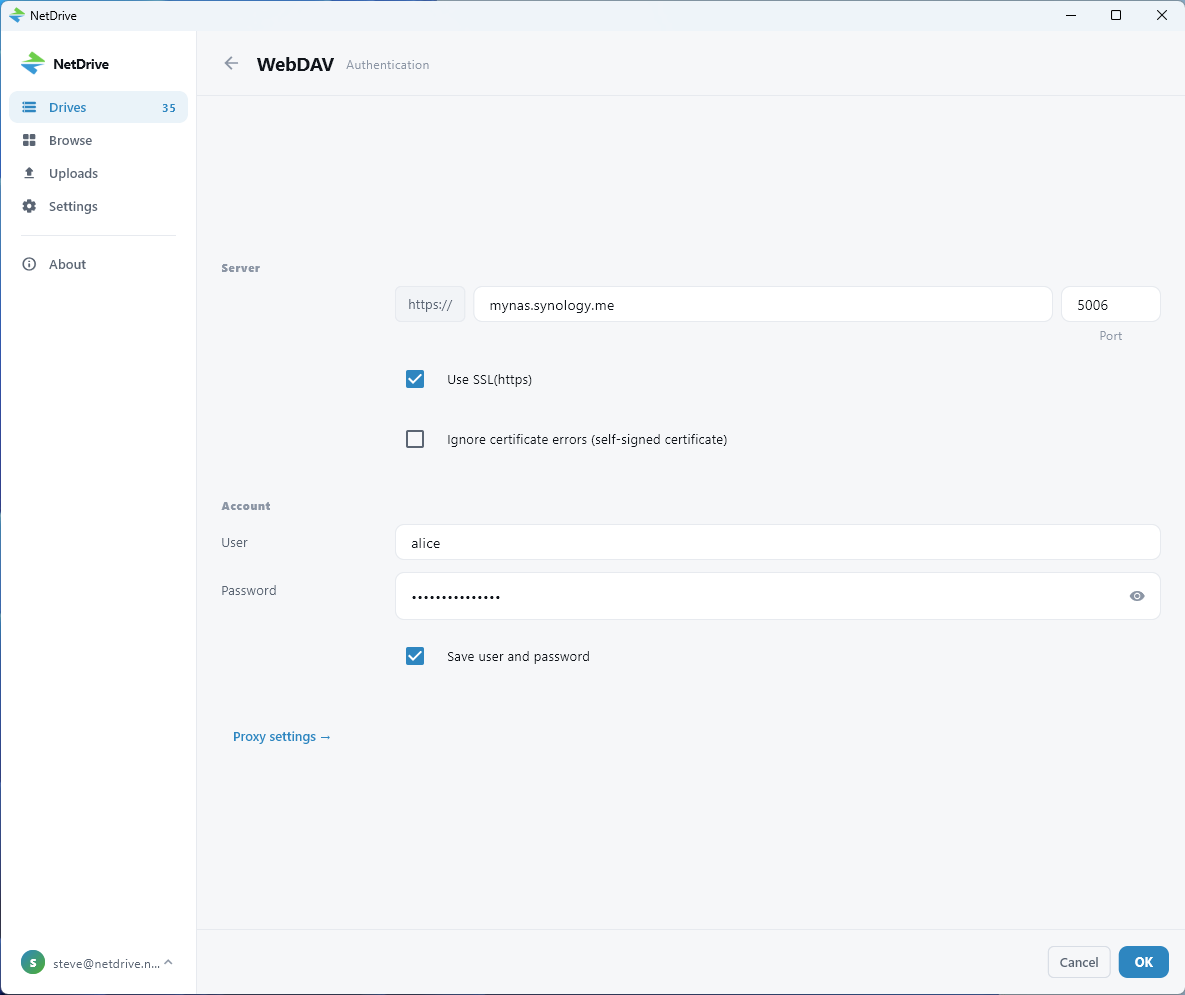
Click OK. When NetDrive connects, Connected appears under Storage type.
- If you want, click Browse next to Remote path to show only one folder.
- Click Add.
The other fields and the options are the same as for any WebDAV server. See WebDAV.