PikPak
This guide covers PikPak. You connect with your PikPak account name and password. PikPak was added in NetDrive 4. For the parts of the Add drive form that every storage shares, see Add a drive.
Before you start
If you created your PikPak account with Google or Apple, it has no password yet. Set a password in your PikPak account settings first; NetDrive shows the same reminder under the password field.
Connect to PikPak
- Click Drives in the left menu, and then click Add drive.
- In Storage type, choose PikPak. It is in the Other group.
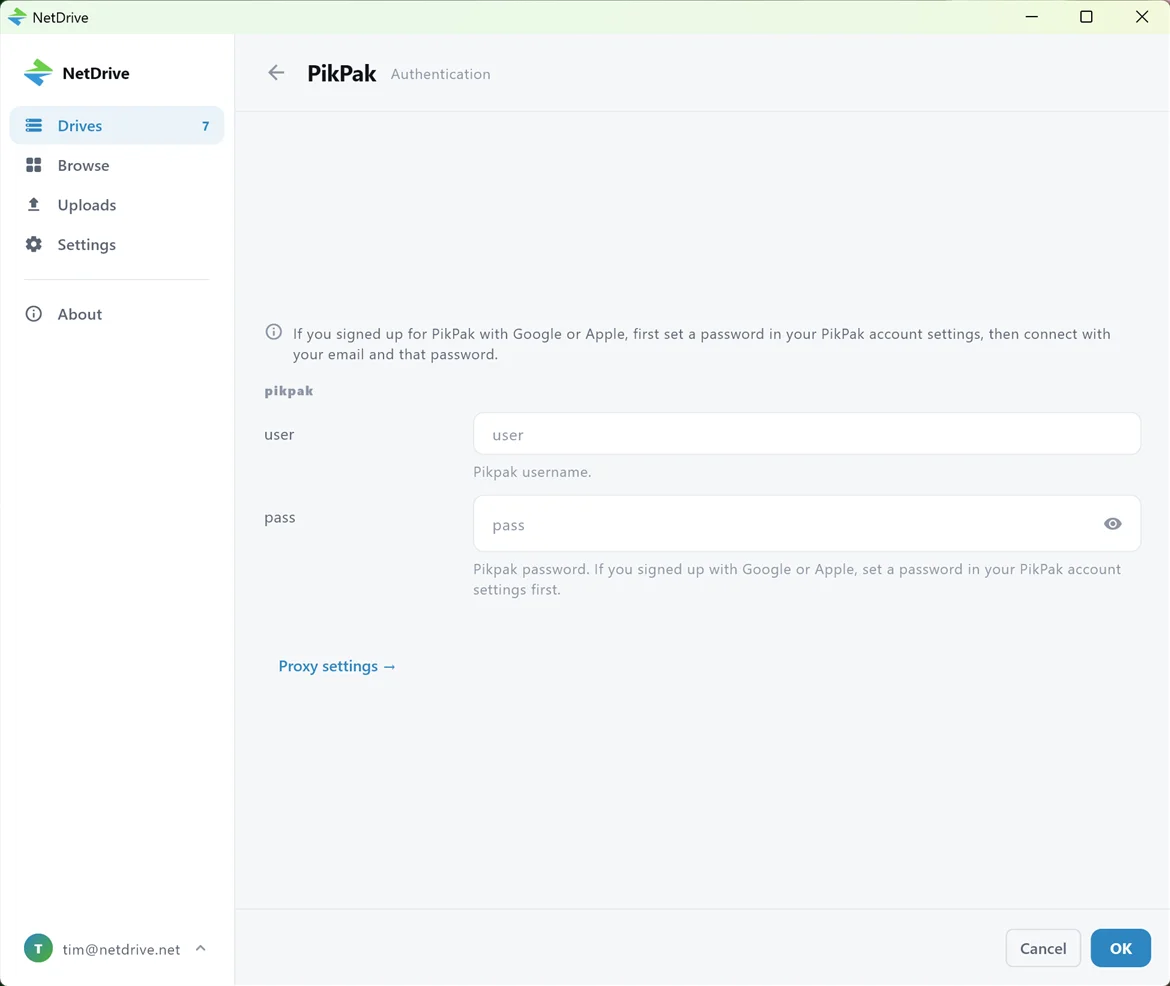
- Click Connect. The PikPak form opens with Authentication next to its title.
Fill in the fields described below, and click OK.
When NetDrive connects, Connected appears under Storage type.
- If you want, click Browse next to Remote path to show only one folder.
- Click Add.
If the connection fails, the reason appears under Storage type. Check the fields and click Connect again. See Connect to your storage.
The PikPak form
Each field in this form is labeled with a short name, such as user, with a description under it. Enter the values below.
user: your PikPak account (email address or user name).pass: your PikPak password.
Options
This storage type has no Options. Bandwidth limits and the reported drive size are not available for it.