Local Disk
Local Disk shows a folder on your computer as a separate NetDrive drive, for example to give a folder its own drive letter on Windows. For the parts of the Add drive form that every storage shares, see Add a drive.
Local Disk is not available on Apple Silicon Macs with macOS 26 or later, where drives connect through FSKit. NetDrive hides it in the Storage type list there, and a Local Disk drive made on another computer shows "Local Disk is not supported on this Mac."
Add a Local Disk drive
- Click Drives in the left menu, and then click Add drive.
In Storage type, choose Local Disk. It is in the Cloud storage group.
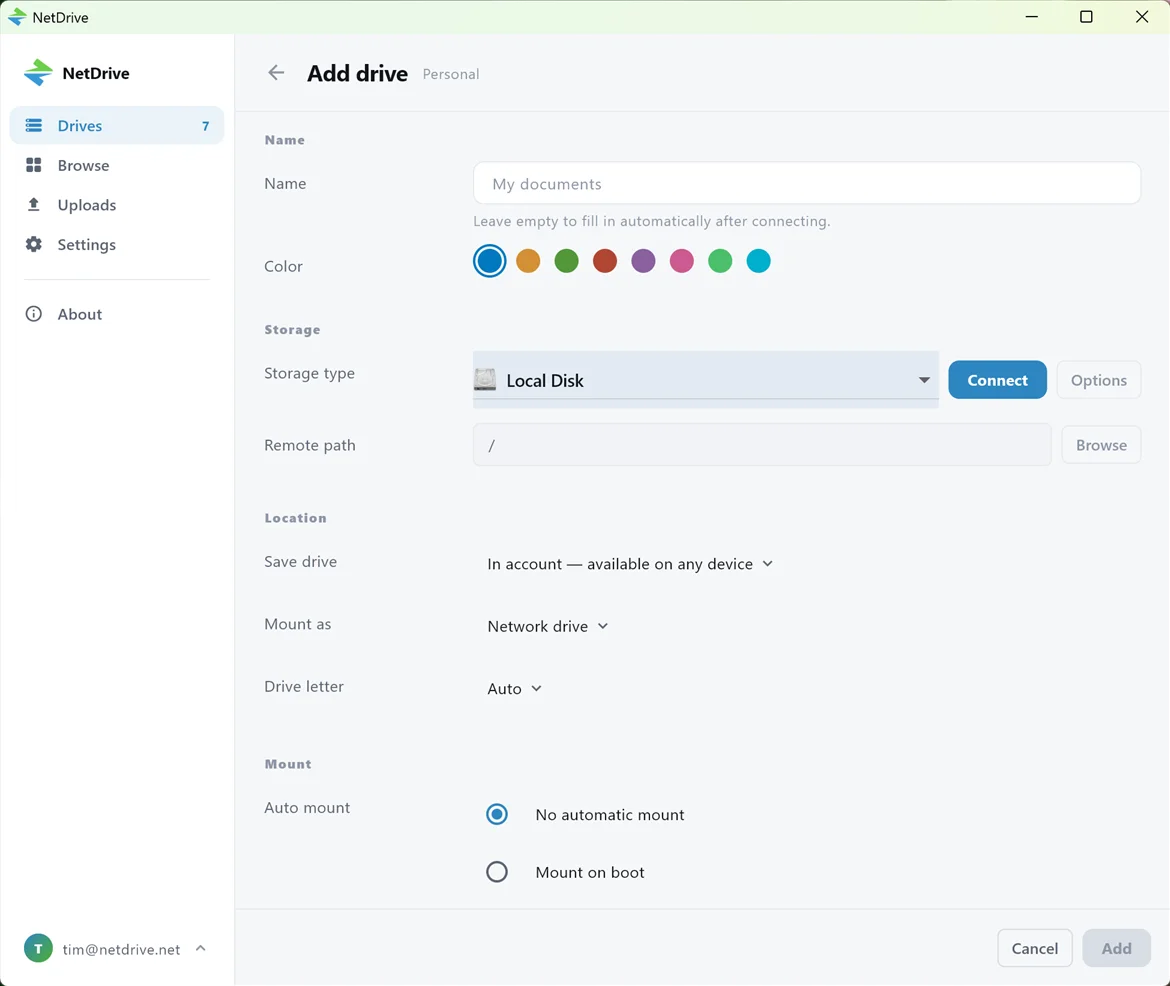
Click Connect. There is nothing to sign in to, so NetDrive connects right away and Connected appears under Storage type.
- Click Browse next to Remote path, choose the folder the drive should show, and click OK.
- Click Add.
A Local Disk drive needs a folder as its remote path. If Remote path is empty or / when you click Add, NetDrive asks you to choose a folder with Browse first.
This storage type has no Options.